Hello.
I recently found kwgt,and I bought it. My knowledge is not enough, so I’m looking for it here as well. I wanted to make that widget ’ use tap to switch between 2 images.’ Topic’s name : Sliding image widget (2 image in 1 widget)
I tried the topic several times, but the image did not switch to the other image. I tried to reinstall the application, it didn’t help either.
Please help me solve this.
Can you maybe share some more info? What did you do, set, create in the editor? Maybe some screenshots?
Also: which launcher are you using? Since stock Samsung launcher doesn’t work with touch actions sadly…
Hi , I use KWGT Pro.I use some widgets in KWGT,I downloaded a few packages from Google play, and I made a simple one, it also works.
I upload screenshots . My KWGT is a Hungarian version.
I did what they write, but if I tap on the widget,nothing happens.
Sorry for uploading a picture like this,but the system only allows me one.
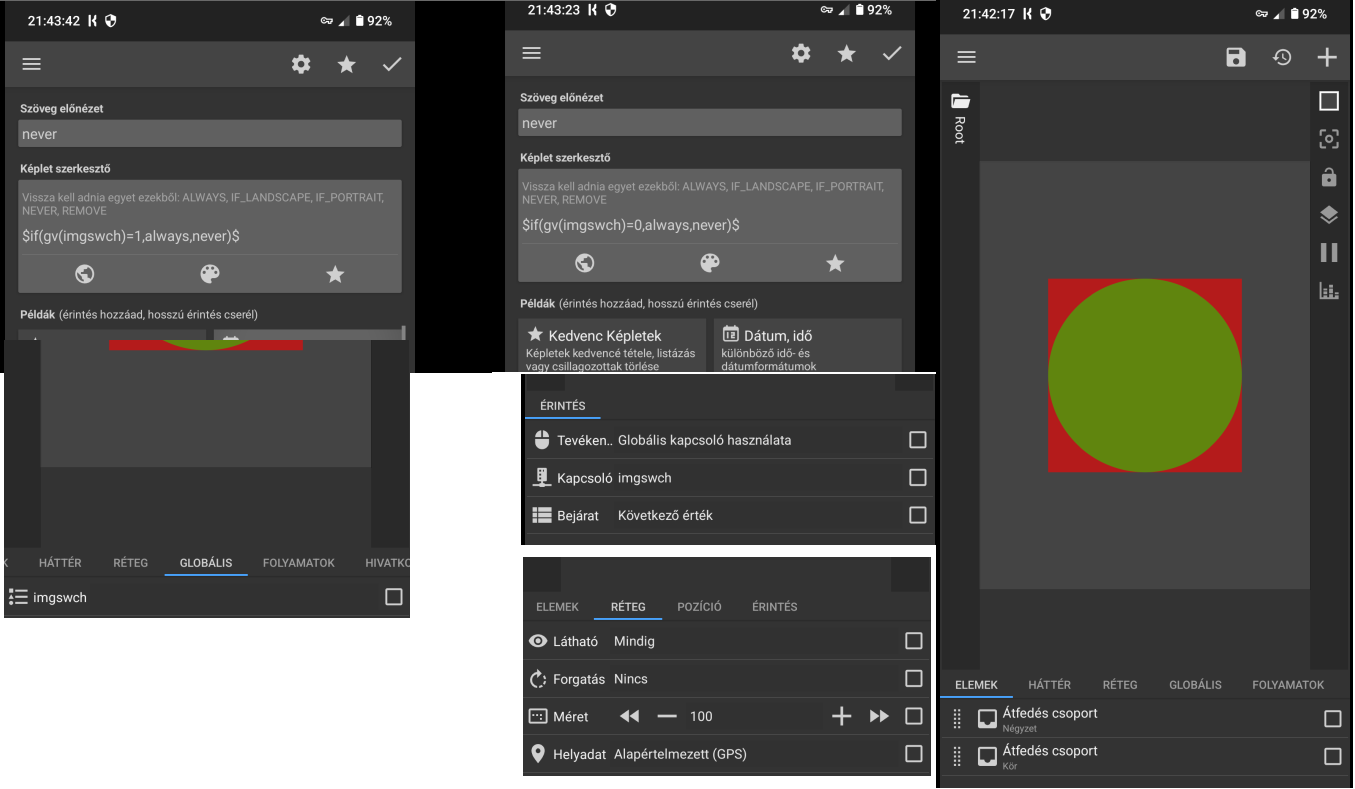
I can’t really make out what is what due to the language, but most importantly: what launcher are you using? If stock android (One UI) the touch action will not work no matter what you do.
If you are using for instance Nova Launcher we need to check your widget; could you please go to settings in KWGT and set language to English and recreate the screenshots?
Hello.I changed it to English,but not all texts became English.I’m sorry, I’m writing English text next to it. What is One UI launcher? Is this Samsung ? I have a Motorola,I use CMM launcher ,from Google play.
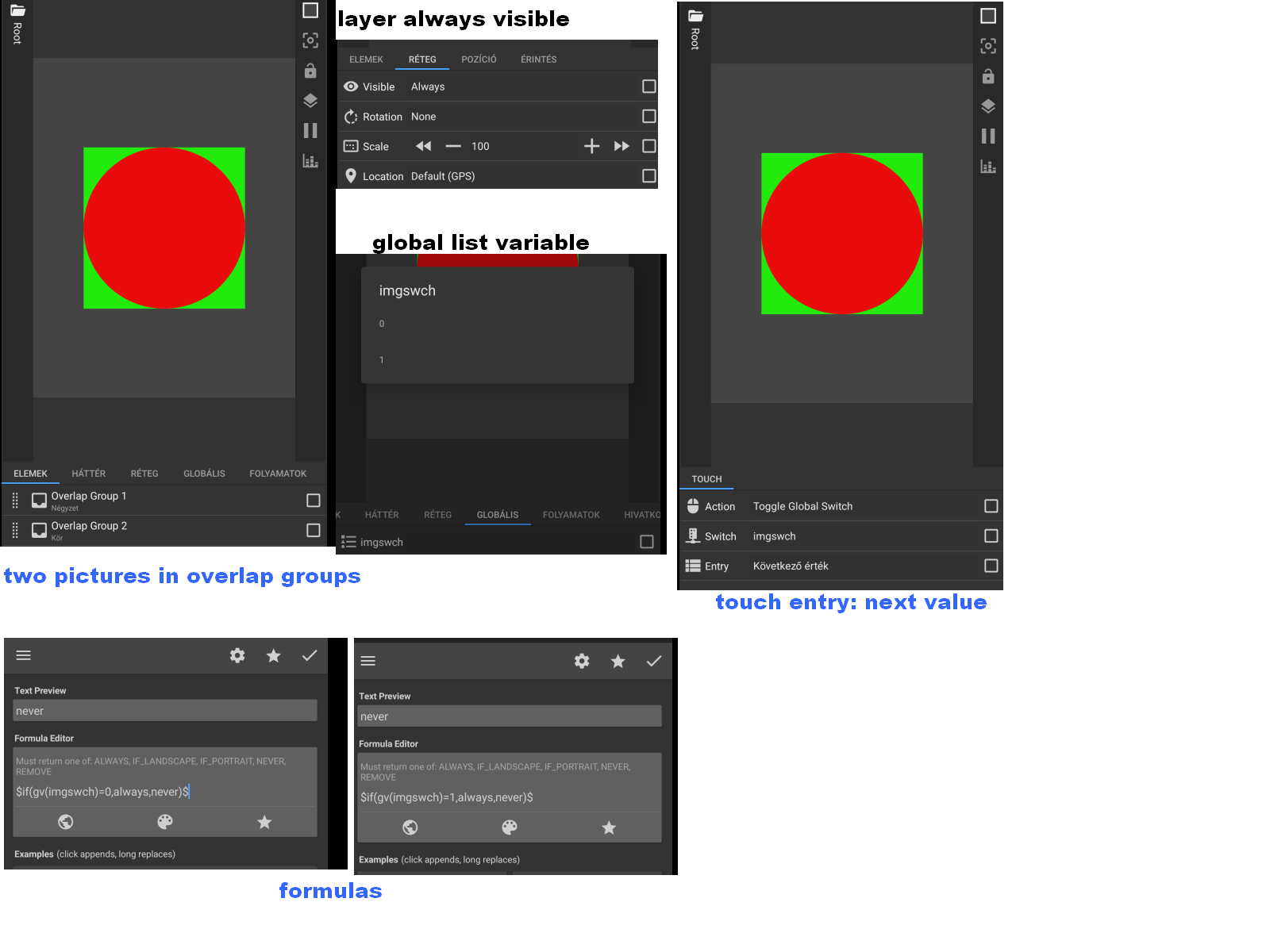
Found it (works for me). You have to use quotes in your formula’s, like so:
$if(gv(imgswch)="0",always, never)$
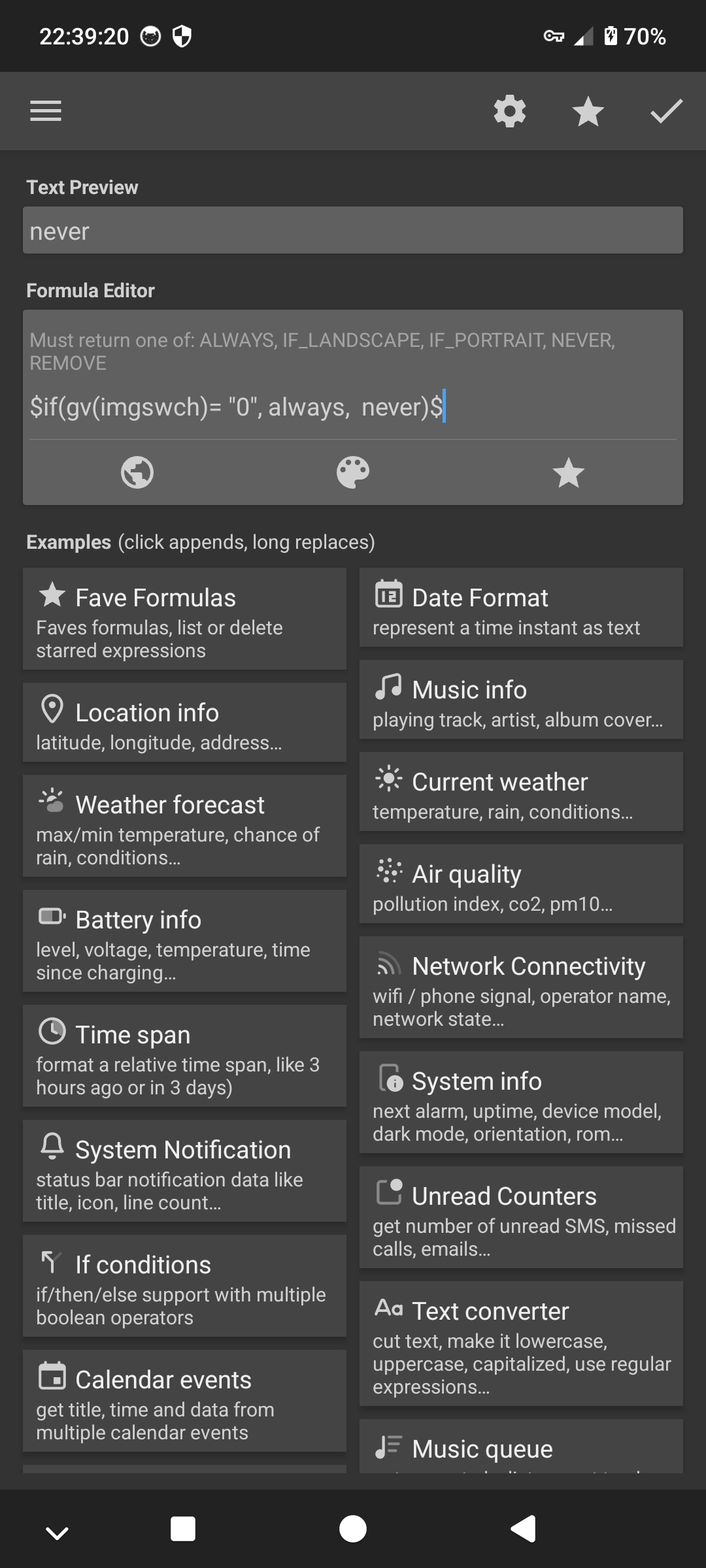
I rewrote the codes, as you showed. There is no change. I tried with a space, without space-no change.
I installed KGWT on my old REDMI 9 phone.I tried it too, but it doesn’t work there either.
The REDMI 9 runs Lineage OS.
Hi there,
I tried to create a KWGT preset that is hopefully a solution to your issue.
I use the icon in my example, but you can use other objects including images.
Also, I use the Remove instead of Never for the visibility. The reason is Remove makes the object with this visibility as if it doesn’t exist on the screen, while Never makes the object still exist but just invisible. When the object still exists even if it’s invisible, then its touch action will still be triggered when we touch the object. So, when we have 2 similar objects stacked each other, the lower (back) one with Always visibility and the upper (front) one with Never visibility, both of them have touch actions, then it is the touch action of the upper most object that will be triggered.
Here is the screencast.
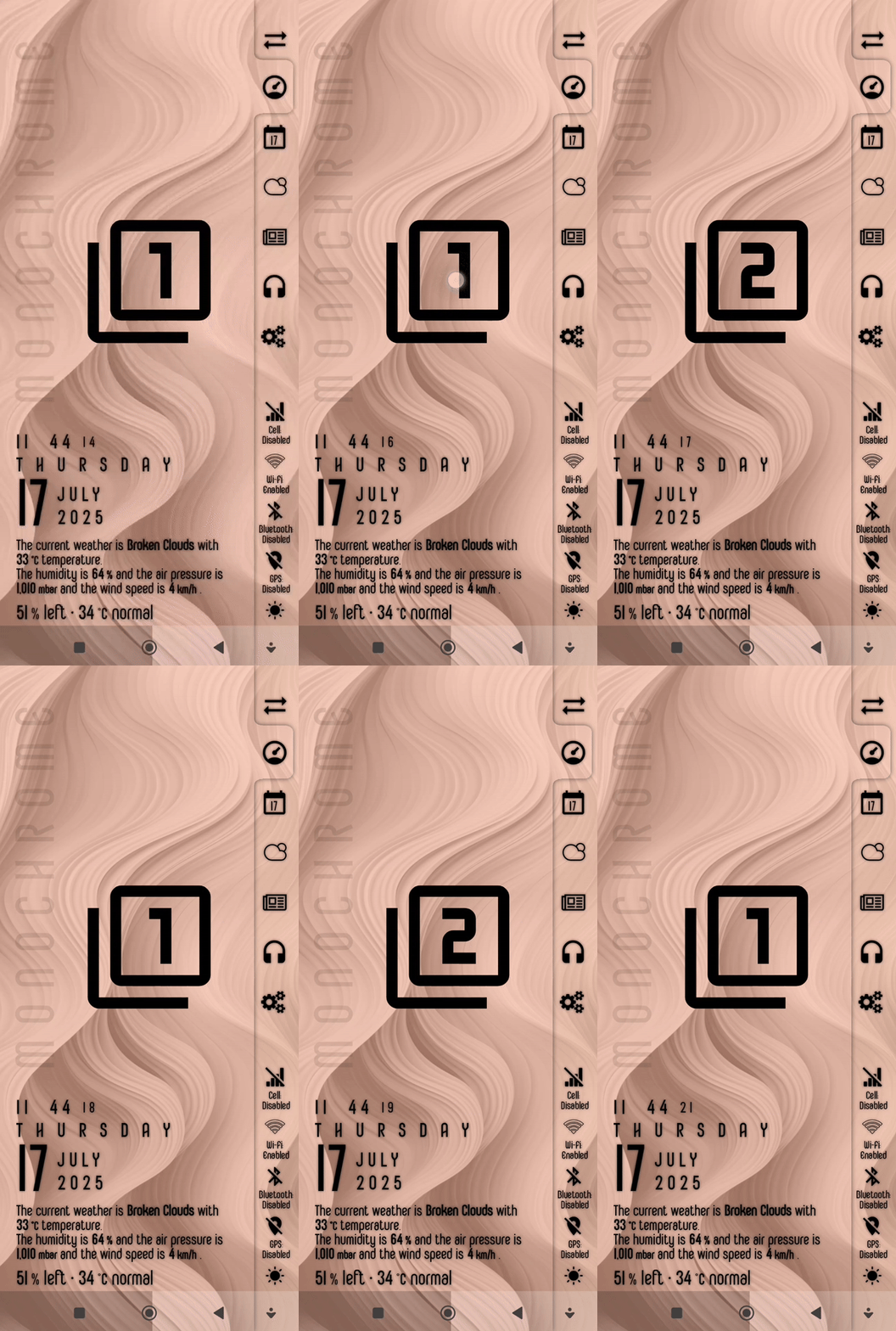
And here is the KWGT preset file to download.
KWGT preset (renamed to .kwgt.zip)
Instruction steps
- Download the file.
- Rename the downloaded file, remove the
.zipsuffix from the filename. - Place (move) the renamed file in the
widgetsfolder under your Kustom installation folder. - Add a new widget from the homescreen.
- Choose the KWGT preset to load and apply it to the homescreen.
I hope this would help.


Even if only the top touch action would be triggered that would still toggle the switch, so that should work regardless.
I left never so you would only need one touch action, but two should work too (see above).
Unless there is something else wrong in OP’s widget it will most likely be a firmware or launcher problem…
Hello. Wow it is working ! What do you think, this can be expanded to include more pictures?
Yes,
You can add more or replace with any objects inside each of the Overlap Groups.
I hope this would help.
Hi.Please show an example,how tó change the formulas ? I added 2 more pictures to widget. Overlap group 3, Overlap group 4 and insert pictures.
Hi there,
Try these steps:
- Edit the
selectorglobal variable to add new index/indices - Duplicate one of the Overlap Groups
- Edit the duplicate of the Overlap Group, modify the
Visibility(its script/formula) for the added index/indices in theselectorglobal variable.
I hope this would help.
Hello.
It worked, great!
Thank you for your help and for being patient.
1 Like
Hi there,
I’m glad to hear it worked.
Would you mind marking the reply that is the solution to your issue? So that it would be the reference for other members who have a similar issue.
Thank you.

I did it previously .Thank you.
This topic was automatically closed 25 days after the last reply. New replies are no longer allowed.