This version is the downloadable version.
I am retiring the previous versions, so any retired versions are no longer available for download.
What’s New
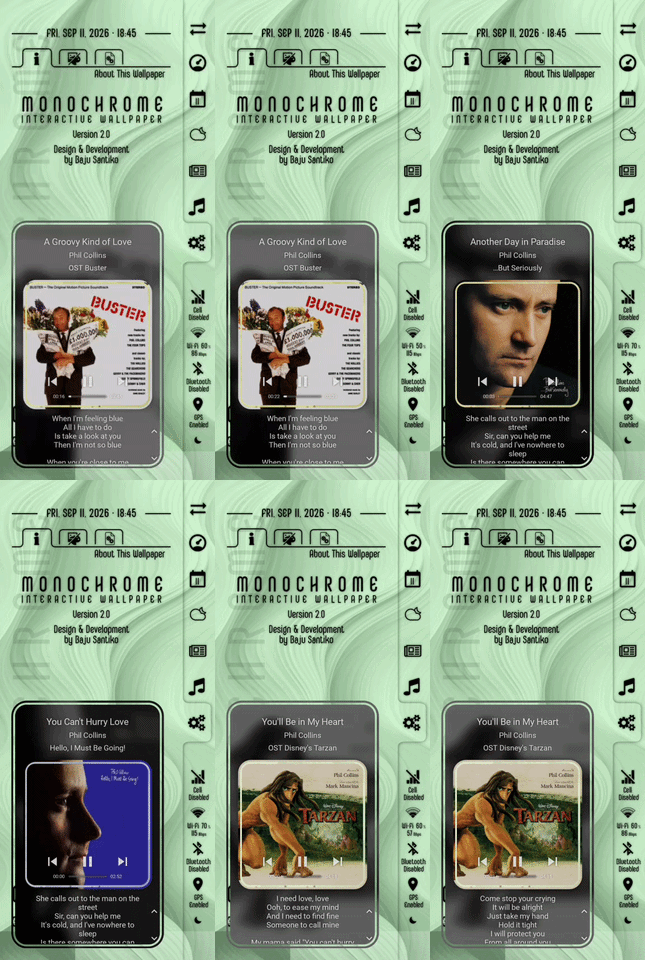
- Adaptive size for text and album art.
 TIPS: don’t resize the widget too small otherwise the text will not be comfortably read
- Text colors are easier to read
- Playback controls and track info are easier to read
- Lyrics scroll navigations are vertically stacked on the right side
Preview
Preset Download
How to Use the KWGT Preset
- Download the preset file (the
.kwgt file) to your phone
- Copy/move the downloaded preset file to the
widgets folder, under the installation folder of the Kustom app
- Add a new widget on homescreen, choose Kustom Widget and select your preferred size of the widget
- Tap on the blank new widget on homescreen to open the KWGT editor, then load the copied/moved preset
- Once the preset has been loaded up to KWGT editor, tap the
 button on the top navigation bar to apply the preset
Enjoy the widget!


1 Like
Excite
2
Now colours everything’s perfect but fornsome reason lyrics do not refresh again. At least on my device. Dunno if doing something wrong
Hi @Excite ,
About the lyrics, it depends on the lrclib.net online service, therefore:
- The device must be connected to the internet
- If there’s no available lyrics for the song on lrclib.net then the widget does not update the lyrics
I hope this would help.
INFO • New version
The latest version is v2.2.260909
Get it from:
Enjoy!