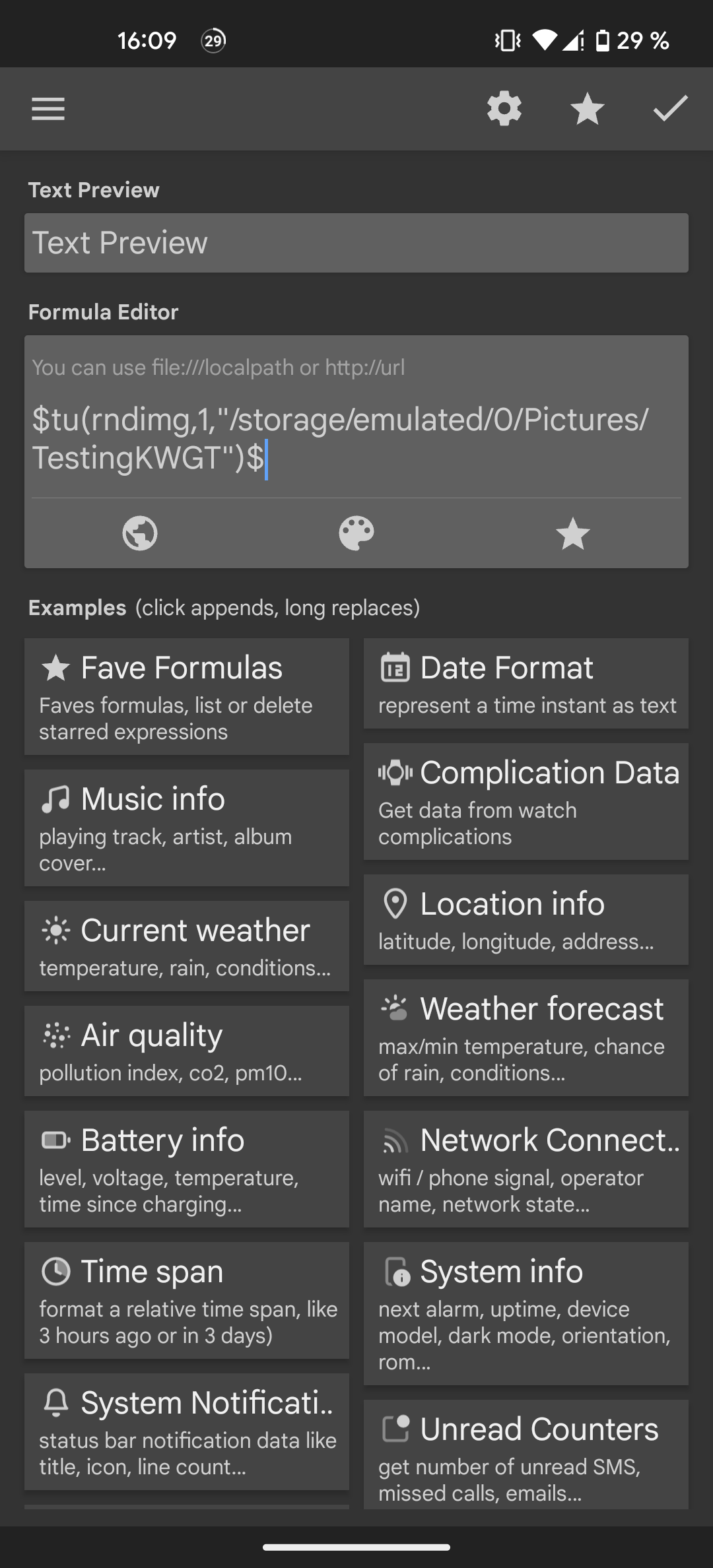
I wanted to recreate this iOS photo widget using a kwgt widget. Having done a little research I got that solution, but it isn’t working properly:/ I guess the path of the photo should be correct
This could be a storage access issue. Try to place your photos inside the Kustom folder and see if it’ll work that way.
I put it into the kustom folder/main folder kwgt uses. But it didn’t work either:/
Hi there,
I would suggest you to use a flow to get the random image.
As far as I remember, now we can only get a file through the Flow in a Kustom preset.
Here’s the steps to do:
Step 1: Create a new global variable, to keep the file path of the selected image
Step 2: Create a new flow, name it as you want
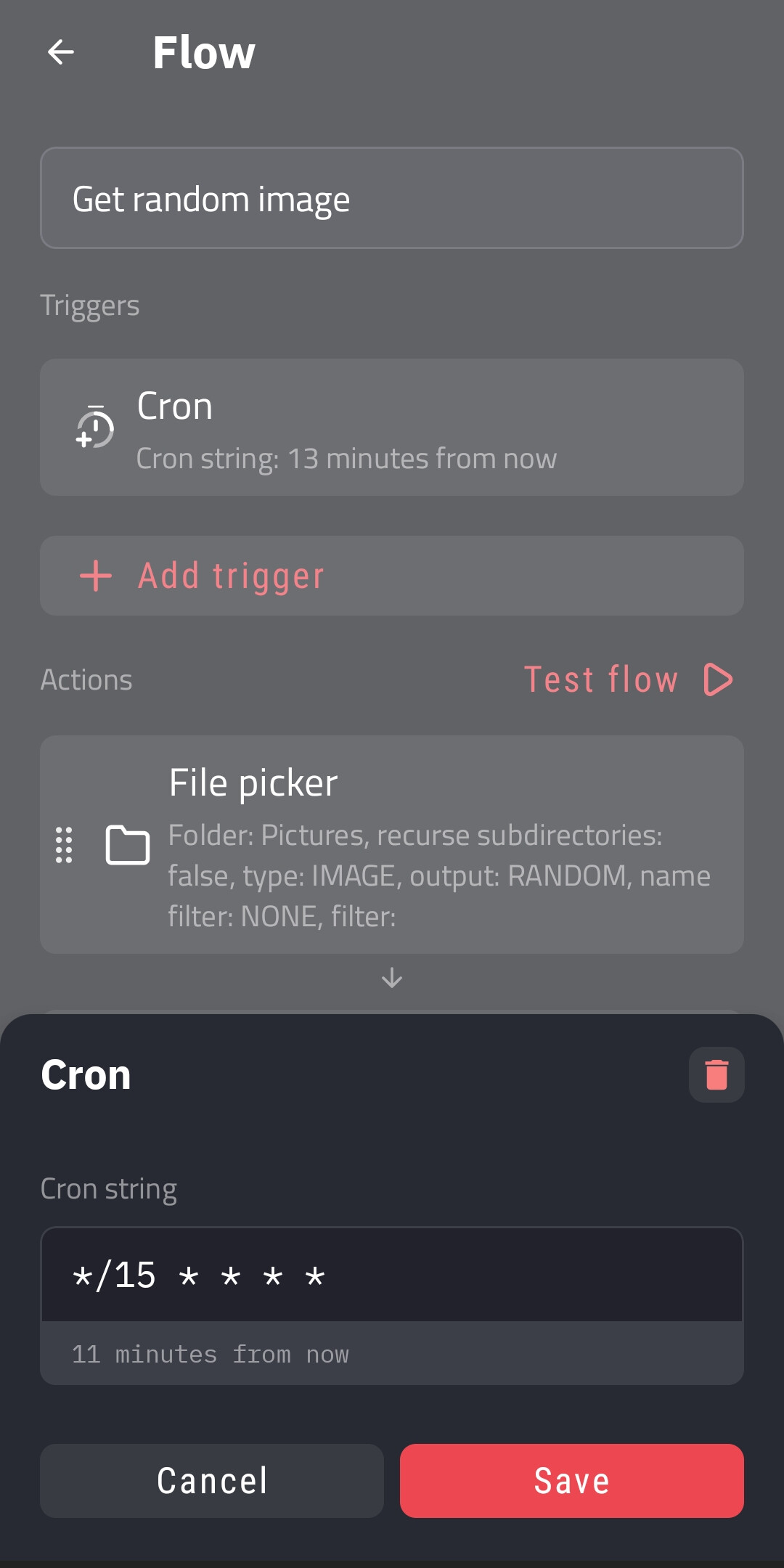
Step 3: Add a Cron trigger for the flow
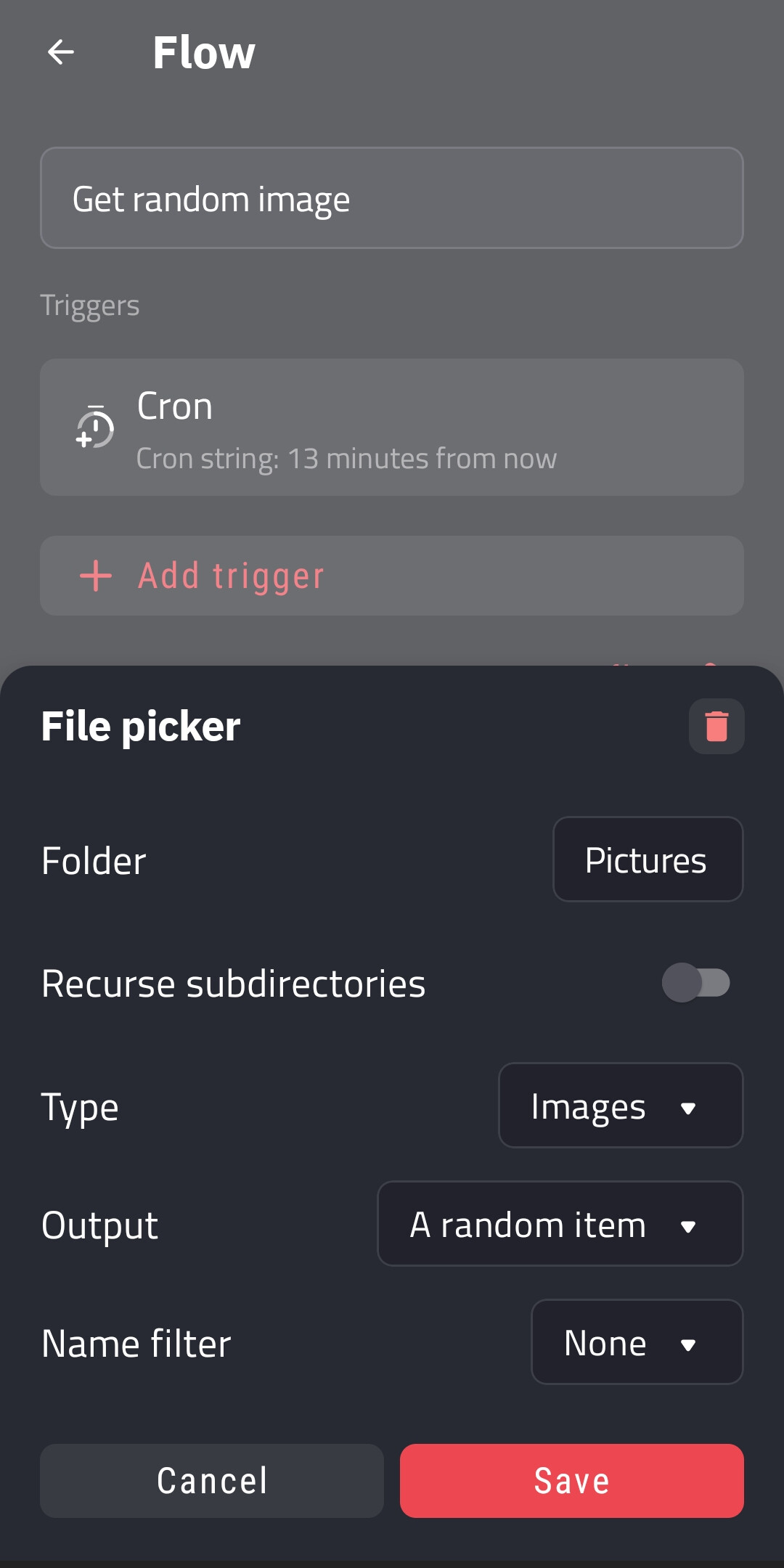
Step 4: Add a File Picker action, select the folder as you want
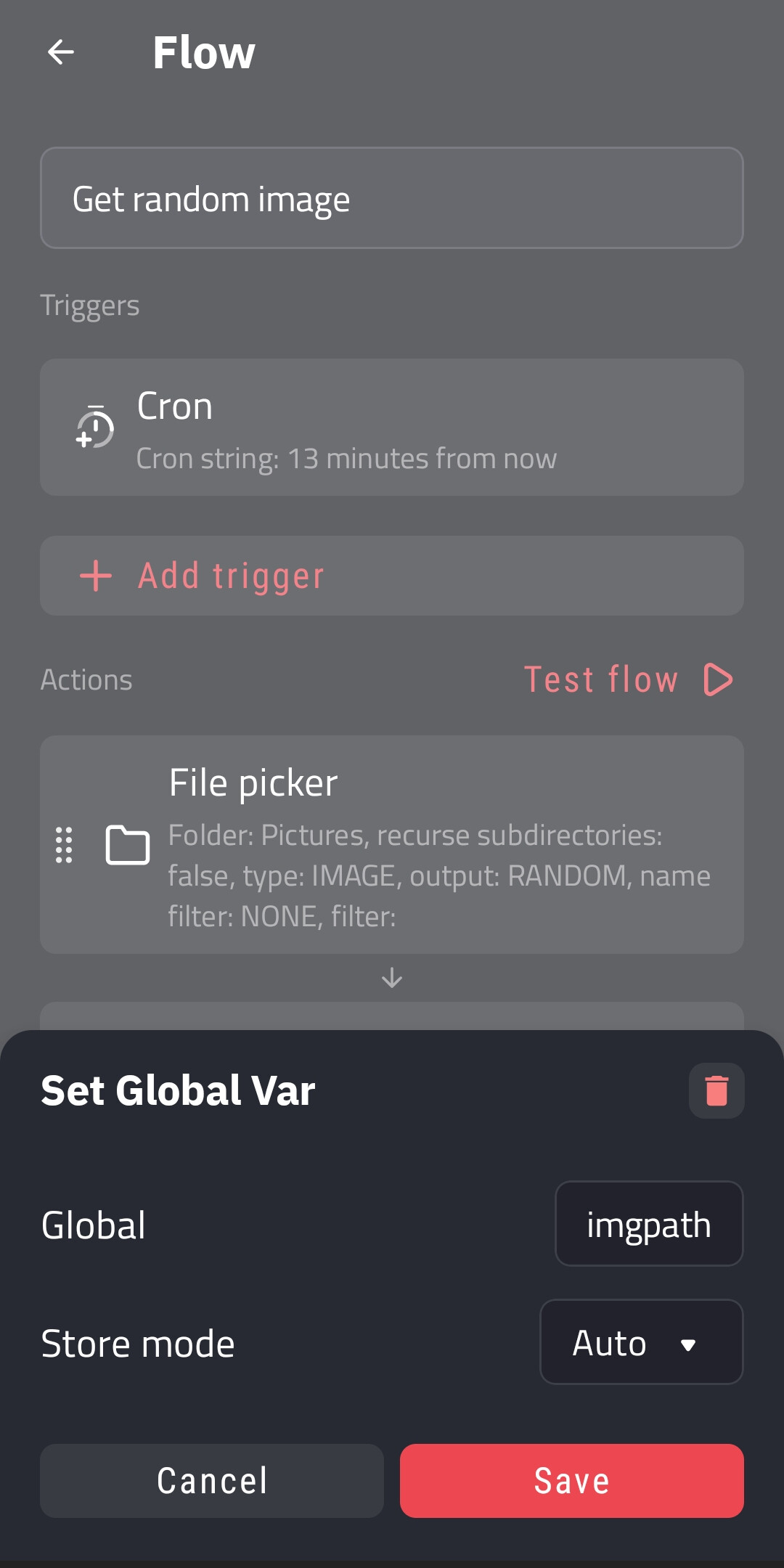
Step 5: Add a Set Global Var action, to store the path to the picked file into a global variable
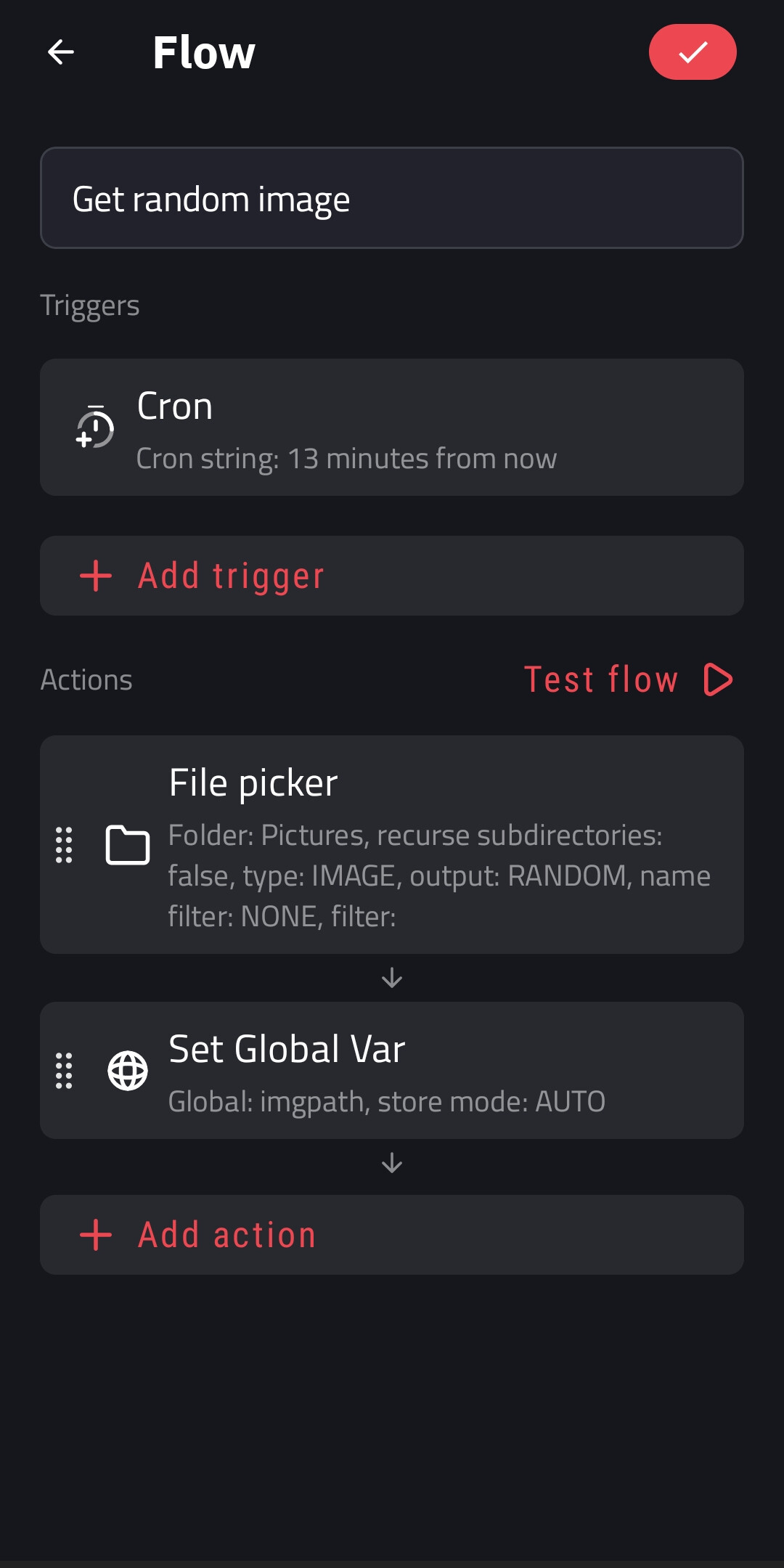
Step 6: Save the new flow
From here, you can use the value of the global variable for the Image element in the widget.
I hope this would help.

