I have tried creating a global variable “weatheru” using each of the two above formulas and then triggering the flow using this formula:
$gv(weatheru)$ on change
And I am still not getting the results I expect. Even though I have the network refresh interval set to 30 minutes, I can go over an hour (and maybe longer) without seeing the results from the flow’s run.
And on the occasions that the flow DOES run, it appears I get the flow triggered twice. So I get duplicates of the same output:
{
"timestamp": "2026-01-03 : 01:08",
"condition": "Cloudy",
"speed": "9",
"direction:" "151",
"temp": "50",
"dew": "46",
"pressure": "999.7",
"humidity": "86",
"aqi": "13",
"pm10": "0",
"pm25": "13"
}
{
"timestamp": "2026-01-03 : 01:08",
"condition": "Cloudy",
"speed": "9",
"direction:" "151",
"temp": "50",
"dew": "46",
"pressure": "999.7",
"humidity": "86",
"aqi": "13",
"pm10": "0",
"pm25": "13"
}
I am rather stumped as to what I am doing wrong. Any tips? Thanks
I am pretty sure that the reason I am seeing duplicates is because KLWP updates weather info for every location in the settings. And so my flow is being trigger multiple time, each about a few seconds apart.
On my devices, I pretty much need only a single location entry. But I see no way to clear the other 3 settings entirely. If I could do this somehow, perhaps weather updating will happen only once?
AFAIK & CMIIW, there’s no way to get the information from an alternate location, so that we know which location has been updated.
So the $wi(updated)$ will always show the datetime from the primary location… unless it is called from inside a group (Overlap Group, Stack Group) or a komponent.
That is interesting because I specifically triggered a flow based upon change to the $wi(updated)$ and had the flow send data via intent to Tasker. Doing this I also used an $sh()$ to log the value of both the $wi(updated)$ and a flow entry count stored in a global to a file. With each update, I was getting multiple entries in the log file and multiple triggering of Tasker intent receptions (which I also logged).
I have given up on using Kustom to provide weather updates to Tasker via a flow and am now planning on simply using the same underlying web API directly.
The “updated” parameter returns the last time the weather has been updated for the current location (current to the layer you are in, so if you select an alternative location in a layer the updated info will be for that location). The “updated” is triggered whenever the response is successful BUT doesnt check if the weather info actually changed, its just the last time the backend was called.
Updated is in milliseconds, did you get multiple triggers even when using something like $df(“hh:mm”, wi(updated))$ ???
Hi Frank. And thanks again for Kustom and for your response/help. I believe, if you read my original posts, you will see answers to many of your questions: (a) yes, I did use the updated inside a formula with date formatting to trigger the flow, (b) I am not concerned with the change in the weather, just a report of the current weather being updated.
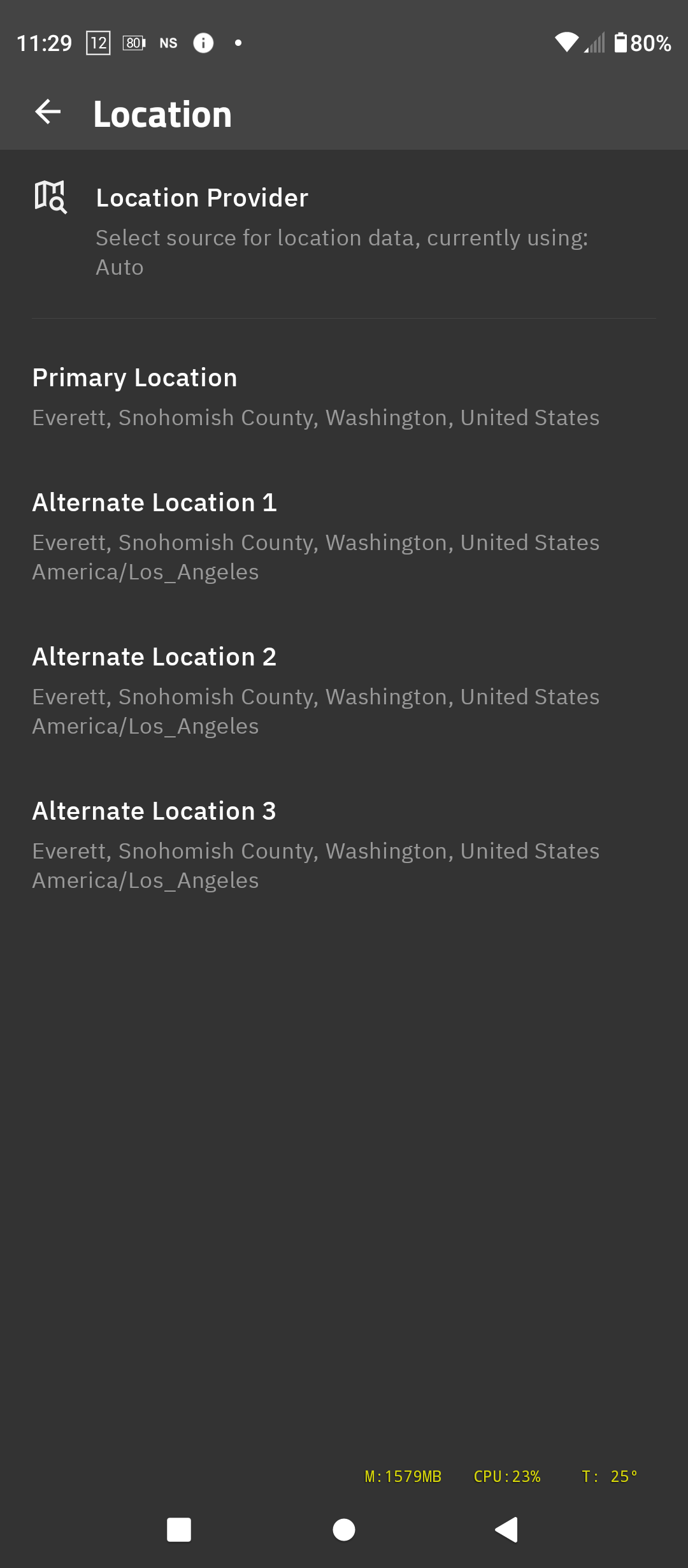
I did not speak to the layer’s location. Actually, I have never even looked at or touched that in any of my wallpaper. So it is whatever the default is. Here are my location settings:
As you can see, I am not very concerned with a location other than the one place. The device in question is NOT a portable device. It just sits in a cabinet as a server. So I set them all to the same place to avoid any confusion. So if I understand you, the updated mechanism should be applied only once per cycle and only for the top-most location. If this is true, it creates a very deep mystery for me as to how/why I get so many triggers.
I was doing this because I simply wanted to use Kustom as a “weather provider” to Tasker. I was simply trying to use an existing mechanism to save myself some work. As this did not work reliably, I have since given up on this “lazy” way and had Tasker go out to a weather back-end (in this case Google) to get the needed weather information.
So this really doesn’t matter to me any more. But it remains a mystery. I feel about these the same way as Captain Kirk, “It’s a mystery. And I don’t like mysteries. They give me a bellyache, and I got a beauty right now.”