How to select/change the color of an element?
Preview
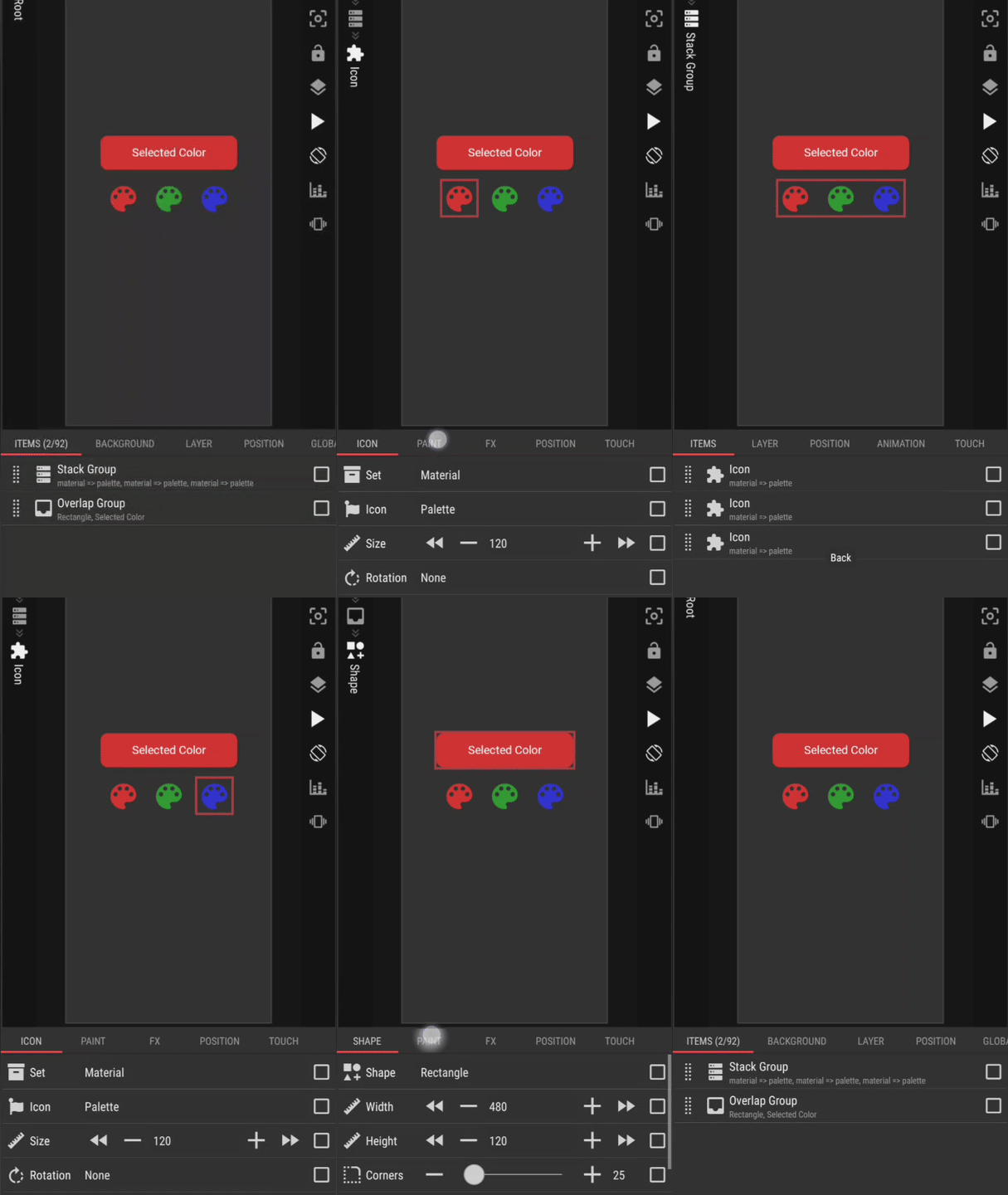
Preset Download
How to Open in KLWP
- Rename the downloaded preset file (the .zip file): remove the
.zipsuffix from the filename - Copy/move the renamed preset file to the
wallpapersfolder, under the installation folder of the KLWP - Run the KLWP editor and load the copied/moved preset
I hope this would help.

