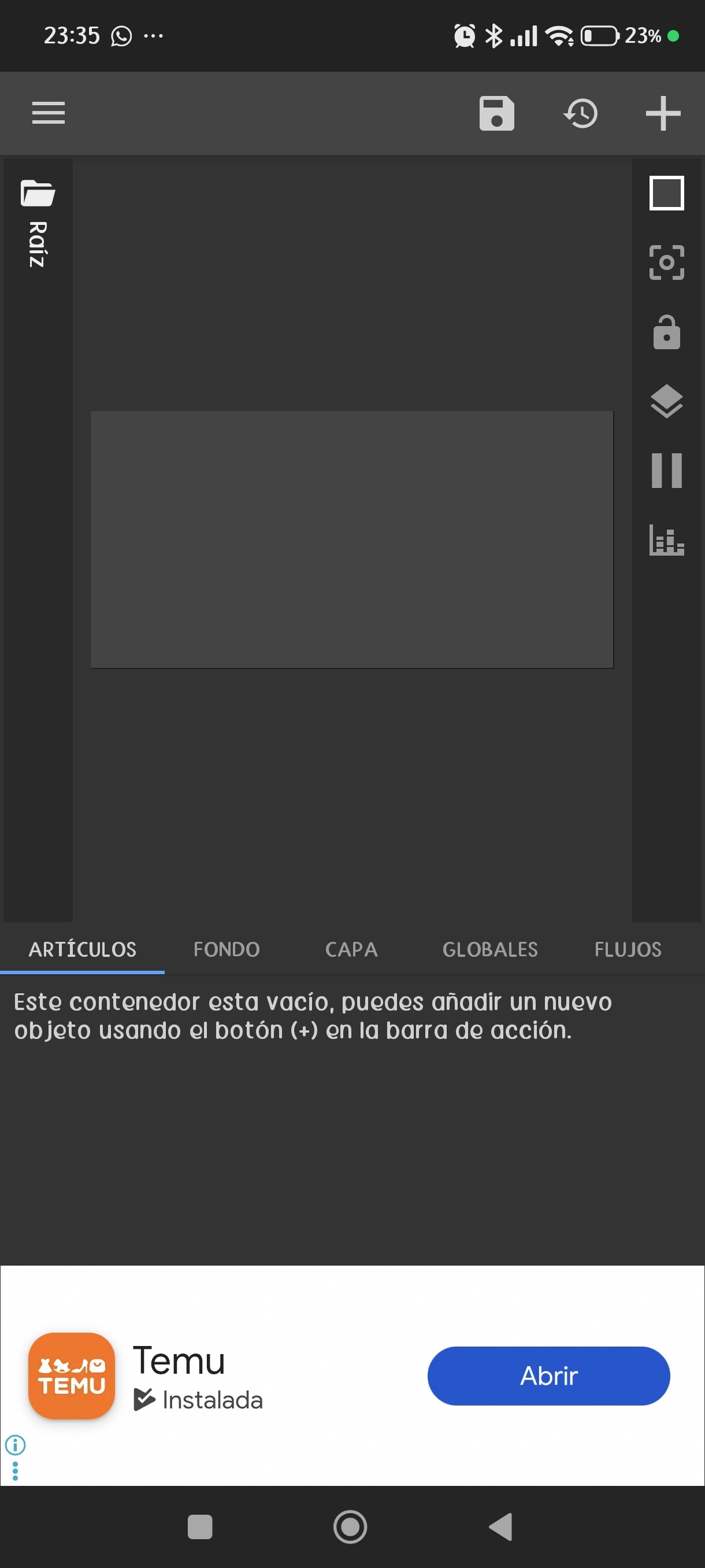
When I try to edit an existing widget, sometimes the editor appears empty, perhaps because it’s overloaded. This only happens with that widget.
That one I made from scratch; it’s the most heavily loaded of them all. That one I made from scratch; it’s the most feature-rich of them all, but you can see it on the screen and in the preview, but not in the editor.
My guess is that a glitch happened and your widget is actually gone from the home screen it’s just hanging in the cache until the first phone reboot.
Try tapping the Restore icon and see if the files recover in the editor. If not, then it’s pretty bad.
I strongly recommend always exporting your presets to files (Export), even after minor edits, because the Kustom launcher sometimes likes to wipe projects out completely without a trace.
As @MaxP suggested, we should always export every edit to the phone storage, even a minor changes, before we apply it to the homescreen. This applies to either KWGT, KLWP, or KLCK.
This is a good habit (especially for KWGT preset)
WHY?
Because how KWGT app works is creating a copy of the chosen preset to be used on homescreen, it is used as the cached version of the preset as long as it is used on the homescreen, and once the preset is removed from the homescreen, the cached version will be deleted without a trace.