Unlocking the Screen: The Layers of Your Android Lock Screen
Have you ever wondered what actually happens when you press the power button on your Android phone? It feels like one instant action, but behind the scenes, your phone’s software organizes your lock screen into distinct “layers.”
Think of your lock screen like a multi-layered window display: some things are right against the glass for you to glance at instantly, while others form the heavy security door behind it.
Here is a simple breakdown of the layers that make up your Android lock screen, from front to back.
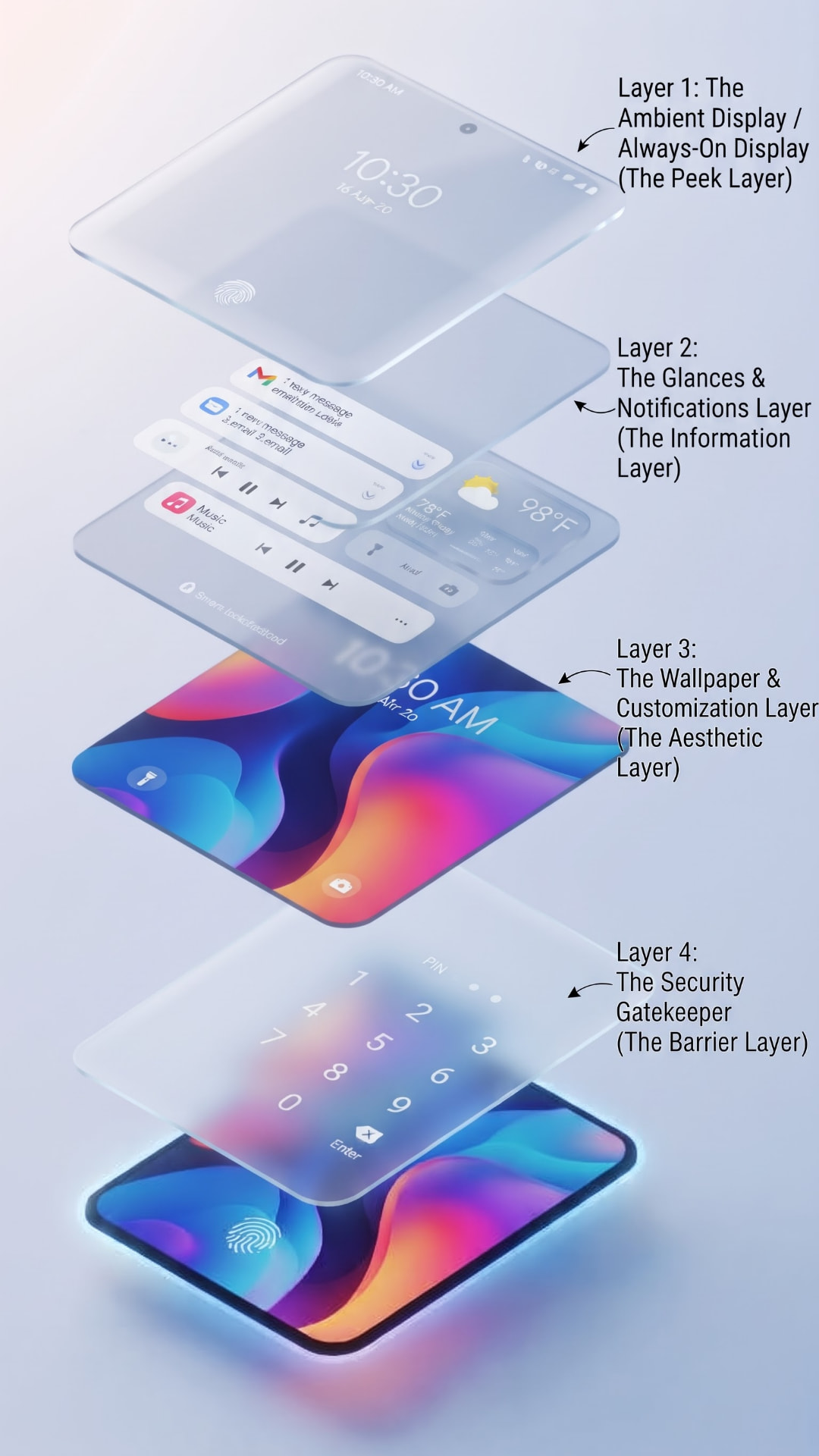
The Ambient Display / Always-On Display (The Peek Layer)
WHAT IT IS
This is the outermost layer. On many modern Android phones, this is the Always-On Display (AOD) or the subtle glow that appears the second you pick up your phone or tap the screen.
WHAT YOU SEE
A minimalist clock, date, battery percentage, and tiny notification icons.
WHY IT’S THERE
It’s designed to give you quick information at a glance without waking up the whole processor or blinding you in a dark room. It uses very little battery power.
The Glances & Notifications Layer (The Information Layer)
WHAT IT IS
This is the main surface you see when you fully wake up your screen.
WHAT YOU SEE
Detailed notification banners (like text messages, emails, or music playback controls), weather widgets, and smart shortcuts.
WHY IT’S THERE
This layer is all about convenience. It lets you read a message, check the weather, or skip a song without actually unlocking your phone. (Don’t worry—you can usually hide the sensitive details of your messages in your settings so nosy people can’t read them!)
The Wallpaper & Customization Layer (The Aesthetic Layer)
WHAT IT IS
Sitting right underneath your notifications is the canvas of your lock screen.
WHAT YOU SEE
Your favorite photo, dynamic abstract art, custom clock styles, and shortcuts to tools like your flashlight or camera.
WHY IT’S THERE
This layer brings personality to your phone, letting you customize how the interface looks and feels every time you check the time.
The Security Gatekeeper (The Barrier Layer)
WHAT IT IS
This is the invisible wall separating your lock screen from your private apps, photos, and data.
WHAT YOU SEE
A PIN pad, a password field, a pattern grid, or a fingerprint/face-scan prompt.
WHY IT’S THERE
This is your primary defense. Until you clear this layer—by scanning your fingerprint or entering your code—Android keeps all your personal data safely locked away behind the scenes.
Summary
When you look at your Android lock screen, you are interacting with a clever sandwich of design and security: the Ambient display gives you a quick peek, Notifications keep you updated, your Wallpaper adds style, and your Security Gatekeeper keeps everything safe until you’re ready to dive in.
I hope this would help.

