There is no tag for KLCK here. So I hope that this post is OK…
I want some lockscreen shortcuts on my new Moto XT2214 with Android 12. This page suggests I can do this. But the it doesn’t work on my model at all. For some reason, there is one and only one - and it is hard-coded and deals with Google Home stuff - which I don’t want. Amazingly, the only way to even remove that single one is to have a PIN (or other secured) lockscreen in use. When you do, there is an option to disable that shortcut. But if you return to a simple, swipe lockscreen, it comes back! I have tried manipulating the phone’s secure settings (since I am rooted) to add some shortcuts as described here. But that doesn’t work at all on this phone.
So I finally come to KLCK as a user of KLWP…
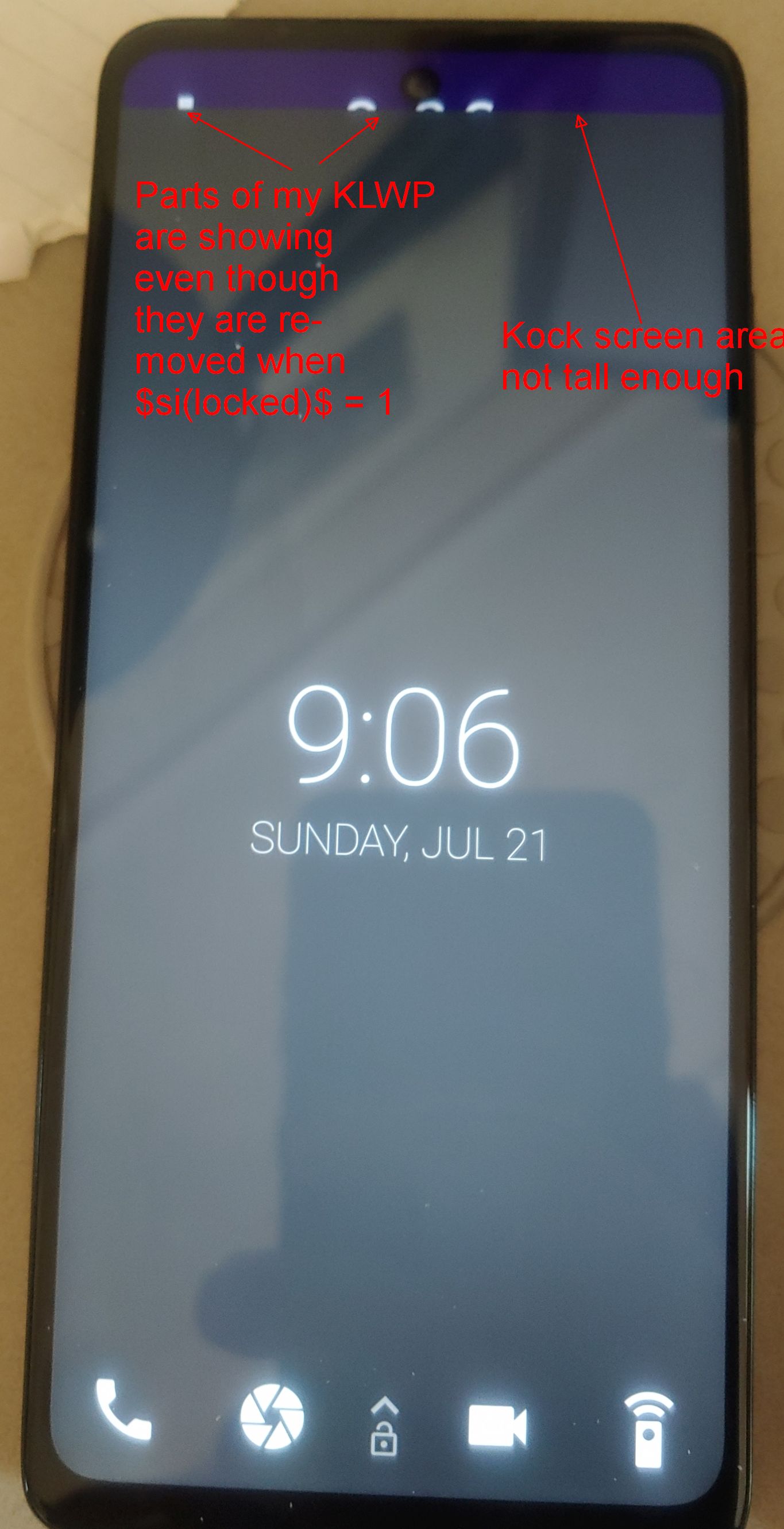
I recognize that this app is new and still experimental. And I feel there is alot to like so far. But I notice a couple things (the 1st 2 are shown here):
-
When KLCK is showing, KLWP does NOT realize the screen is locked - ie, $si(locked)$ does not equal 1. As such, parts of my KLWP show through at the top of the lock screen overlay even though their visibility is checking for locked and removes those items if true.
-
Perhaps related to the issue in #1 is that the lockscreen overlay is not tall enough. This is likely due to the in-display camera or notch at the top. Or the area being reserved for the status bar. Not sure what, if anything, can be done about that. Either way though, it is a bit odd looking.
-
This is really important! And maybe I am missing something… A normal lockscreen will allow the display to power off (or at least return to Always-On Display) after a period of time. Often, it fades away during this period. It is my experience that this NEVER happens with KLCK. It just stays on and that clearly seems a problem. I was thinking to create a top-level flow that is triggered on preset load, then waits a given amount of time, and then triggers a Kustom action to turn off the display. But I am not seeing anything like that. I could trigger a Tasker task to turn off the display. But it really seems like there should be a way to do this inside of KLCK since it is a rather basic requirement of lock screens.
Thanks for any suggestions/hints!