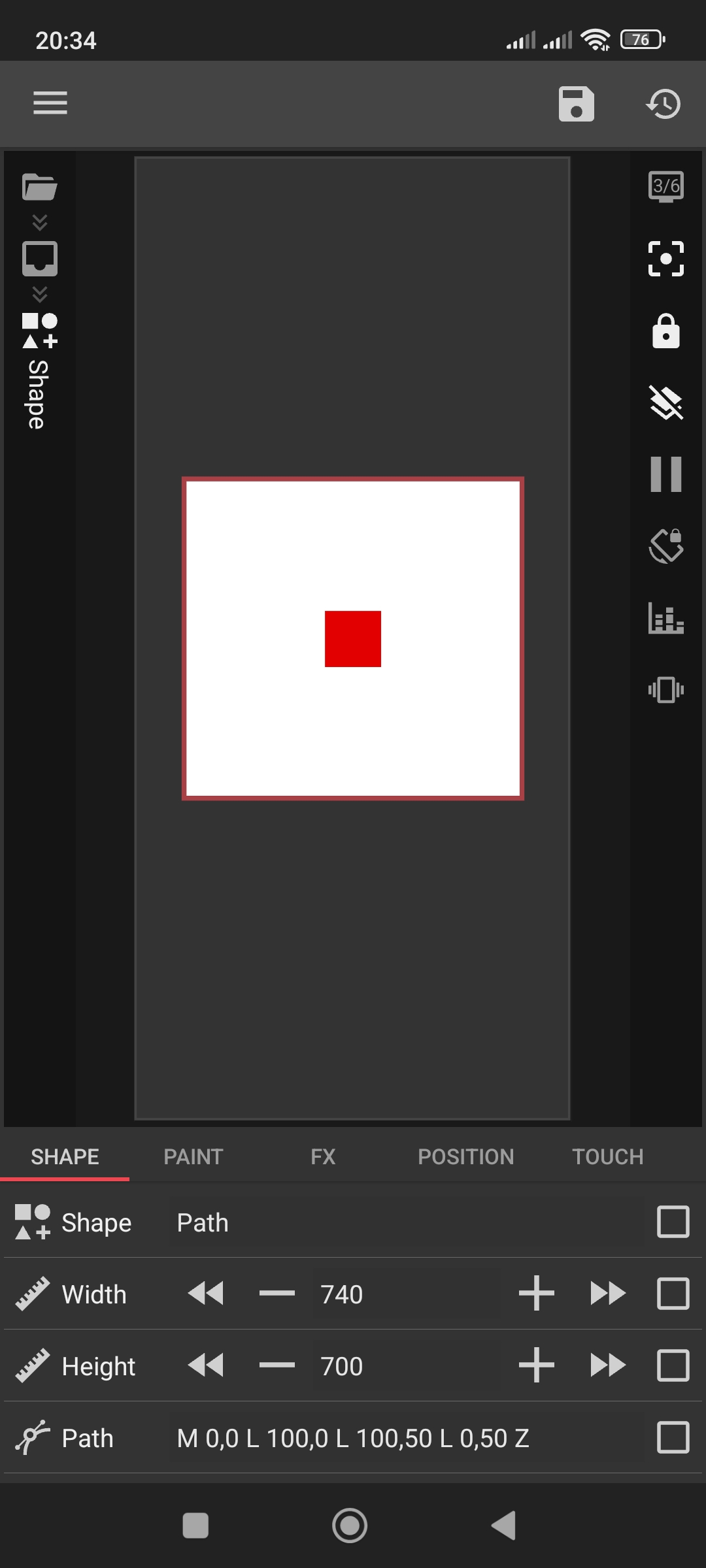
The issue is likely a stuck bounding box or an internal offset in your SVG code. Try these two quick steps:
Manual Toggle: Switch Scale to Auto, then back to Fit Center. This forces Kustom to recalculate the frame.
Check Start Point: Ensure your Path string starts at 0,0 (e.g., M 0,0). If it starts with an offset like M 100,100, Kustom includes that empty space in the centering, causing the shift.
Well, i think think i should test the second one, very thankful for the answer!!
Edit: the second one didnt work, maybe because my svg is out of bound? (Mine is 1000x626). Will it work if i resize it to 100x100? (Not minding deformation)
I just tested a simple rectangle path with Fit Center, and it works perfectly on my end.
It’s hard to guess without seeing the actual data. Could you please paste your Path code here? I’ll test it on my end to see exactly what’s causing the shift and check if there are any hidden offsets or bounds issues. It’s the fastest way to fix it.
I’ve run multiple tests with your code, and it’s definitely a Kustom bug. The app’s engine fails to calculate the path’s scale on startup, causing it to look flat.
Since Path objects only support ‘Auto’ and ‘Fit Center’, there’s no way to lock the height with a formula to prevent this.
In this case I’d recommend using a ready SVG, or even better — creating an icon font from that shape. A font is much more flexible and works better than an SVG.