I’m on a Pixel 7 Pro (fully updated android 16) running KLWP v 3.80b522706. When I do the system back gesture (swipe), the layer names in the left sidebar disappear and it only shows Root. It still moves up the layer tree normally, like going back from child to parent, it just doesn’t show it. Tapping on the parent layers works normally, where it shows all the layer names.
It also makes the Auto Zoom reset to Root, like even if I’ve backed into a smaller layer, if the layer showing on the side ar says Root, it zooms out as if I’m only looking at the Root.
I hope this made sense  it doesn’t make klwp unusable, but it’s pretty annoying when I’m going back and forth and trying to keep track of where I am, especially in similar layers.
here’s a screencap to hopefully demonstrate better if my explanation isn’t that clear
Hi there,
Here are some tips on Kustom editor (KLWP, KWGT, KLCK)
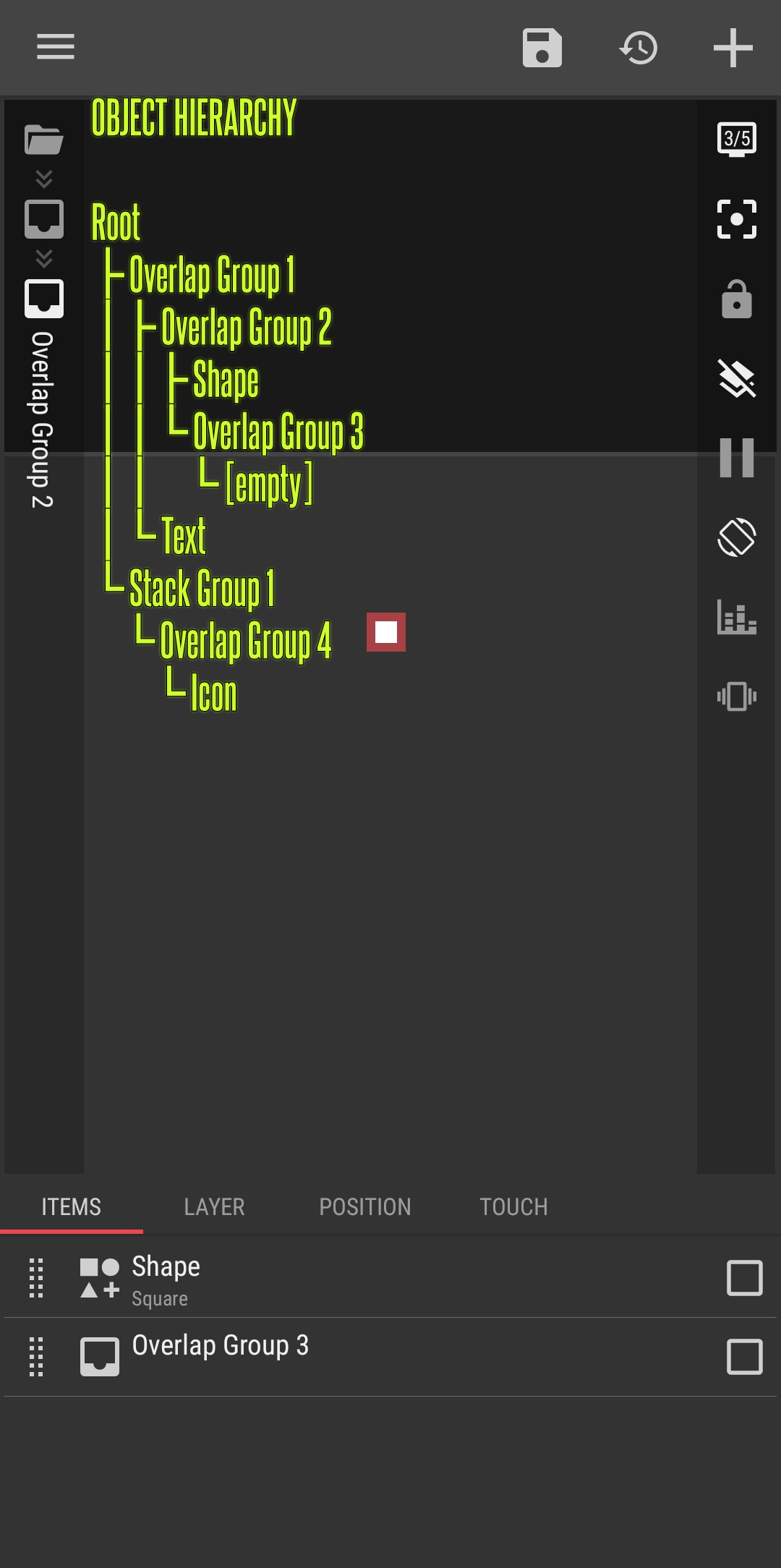
- Automatic Zoom, this feature works only if there is an object to zoom. So, empty Overlap Group, Stack Group and Komponent won’t be zoomed in.
- The object’s name on the left sidebar only showed for the current object. All the parent objects’ name are not shown. This is good because if all the object’s name have to be shown then they will be overlapped and hard to read. As far as I remember, the early versions of Kustom editor used to show every object’s name, and that’s an issue for me to read the object’s names.
TIPS
- To avoid confusion when working with objects in nested levels, try to Hide unselected modules feature.
I hope this would help.
Did you find the most helpful response to your issue?
Please kindly press the  Solution button to mark it as the solution.
This would help others with the similar issue.


Yeah, I’ve been using KLWP for a couple years. I think a better way to put it is that the UI is buggy when using the native android back gesture. I tried to show in the video that these features work fine when manually tapping a parent layer, but doing the same steps when swiping back is messed up.