It is supposed to return the precipitation value for the current hour, but instead it sometimes returns a much higher value, which appears to correspond to the total rainfall over 24 hours.
This suggests the data may not be properly segmented by hour.
Can you confirm if this is expected behavior or a bug?
Kustom doesn’t generate its own weather data; it simply displays what the provider sends. By default, most users have OpenWeatherMap, which only updates every 3 hours.
The documentation for precipitation (wf(rain)) even mentions that it works only ‘if available’.
The issue isn’t a bug in KLWP/KWGT, it’s just that the default free provider doesn’t offer precise hourly segmentation. You can try switching your provider in the settings, but keep in mind that high-accuracy hourly rain data is usually exclusive to premium weather APIs available only via subscription.
You’re assuming I’m using a free provider, but I actually have a Weatherbit subscription, so I have access to a Premium API. Also, if this were a provider issue, the problem would occur in the Weather Wow app as well, but it doesn’t (using the same API). In other words, this issue is specific to KWGT/KLWP.
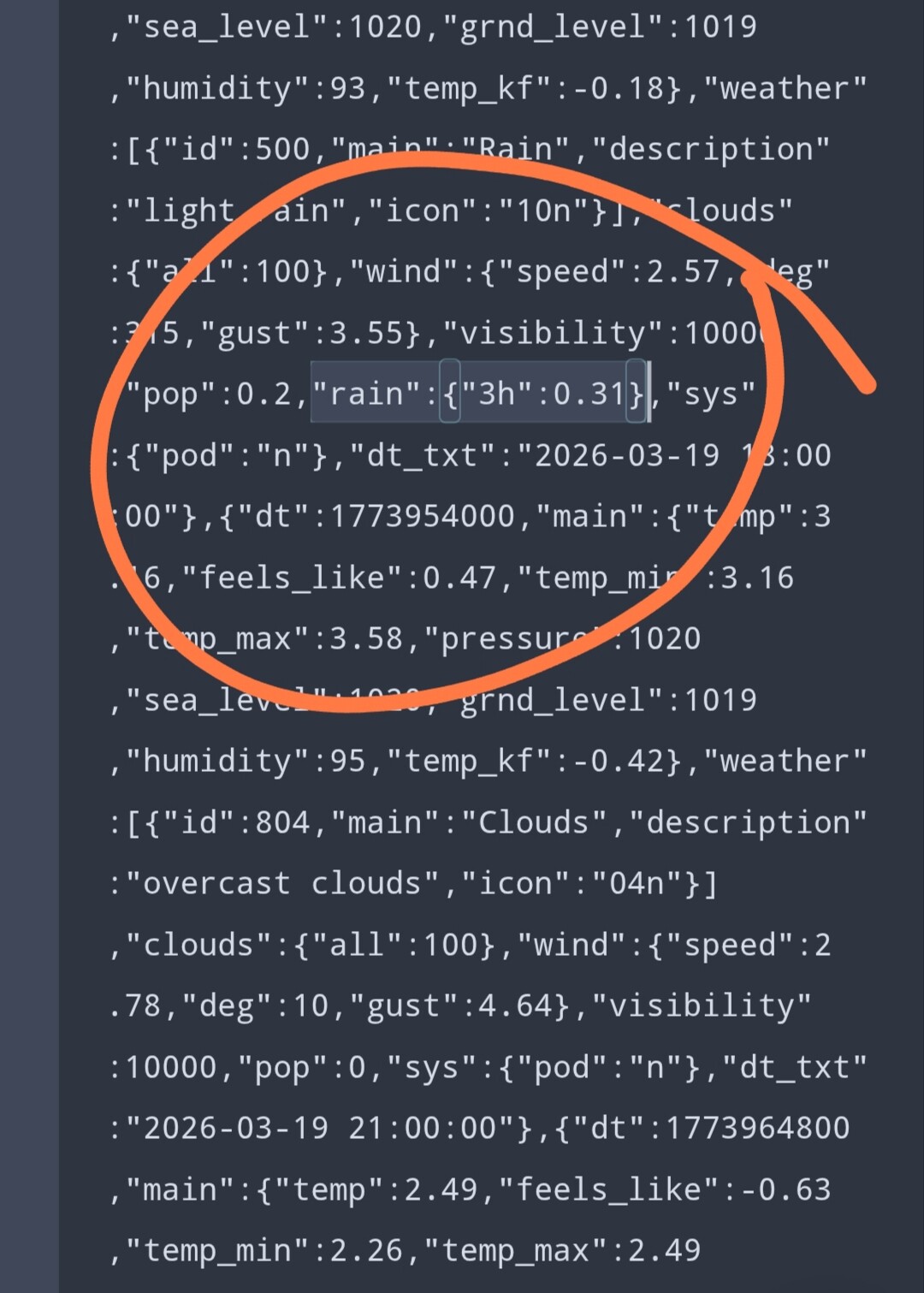
I decided to verify this by looking directly at the raw OpenWeatherMap JSON data to see exactly how Kustom parses these values.
Here is the technical reality:
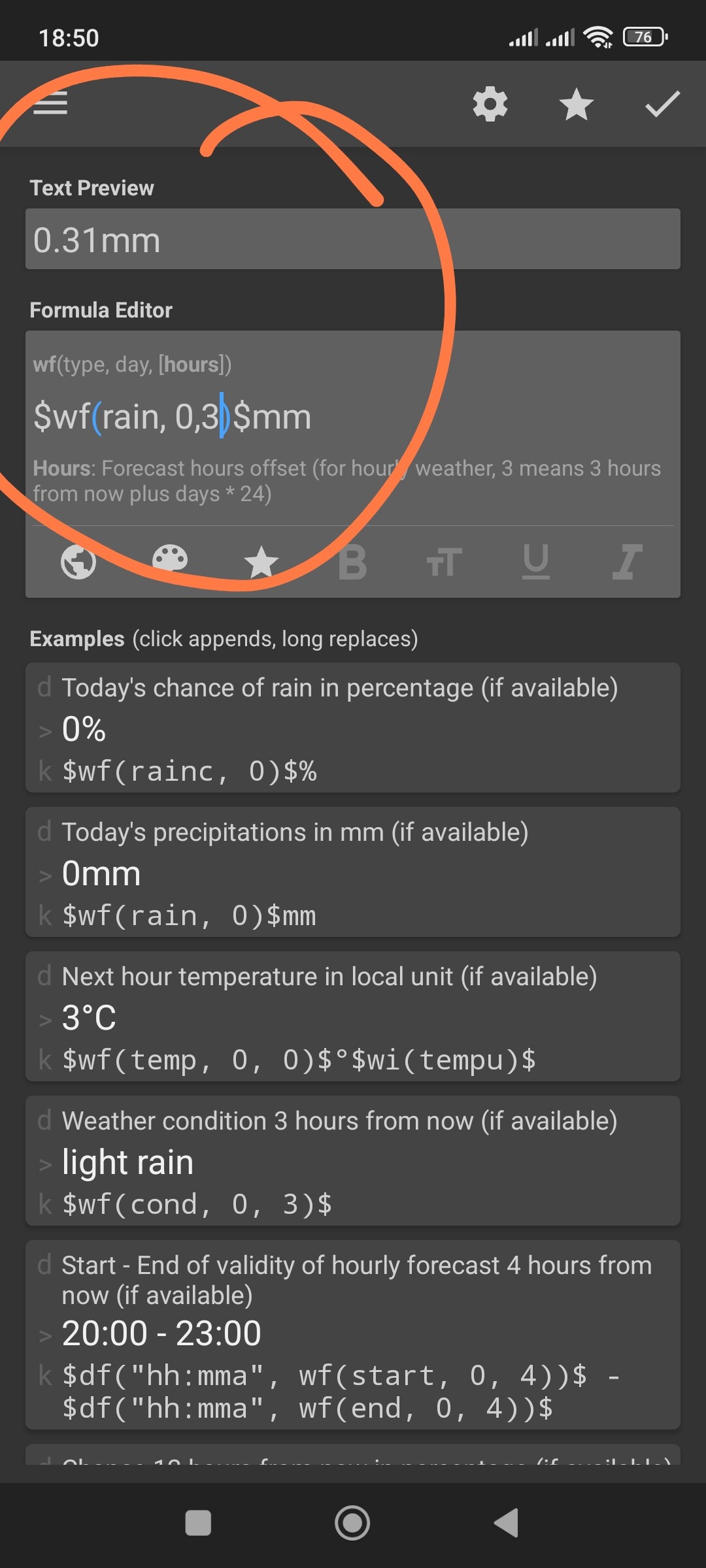
In the API response from the provider, there is a specific field for precipitation, for example: “rain”: {“3h”: 0.31}.
I’ve cross-referenced this raw JSON with the Kustom output, and the numbers match exactly. Kustom is displaying the value of 0.31 because that is exactly what the provider sent in that specific data segment. It is not ‘calculating’ or ‘glitching’ a 24-hour total into a 1-hour slot; it is simply acting as a messenger for the raw data.
If another app shows different values using the ‘same API’, they are likely applying their own internal filters or post-processing to ‘smooth out’ the data. Kustom, by design, gives you the pure, unfiltered data exactly as it arrives from the source.
So, if the value feels wrong to you, the ‘issue’ is in the raw data package provided by the weather service, not in Kustom’s rendering engine.
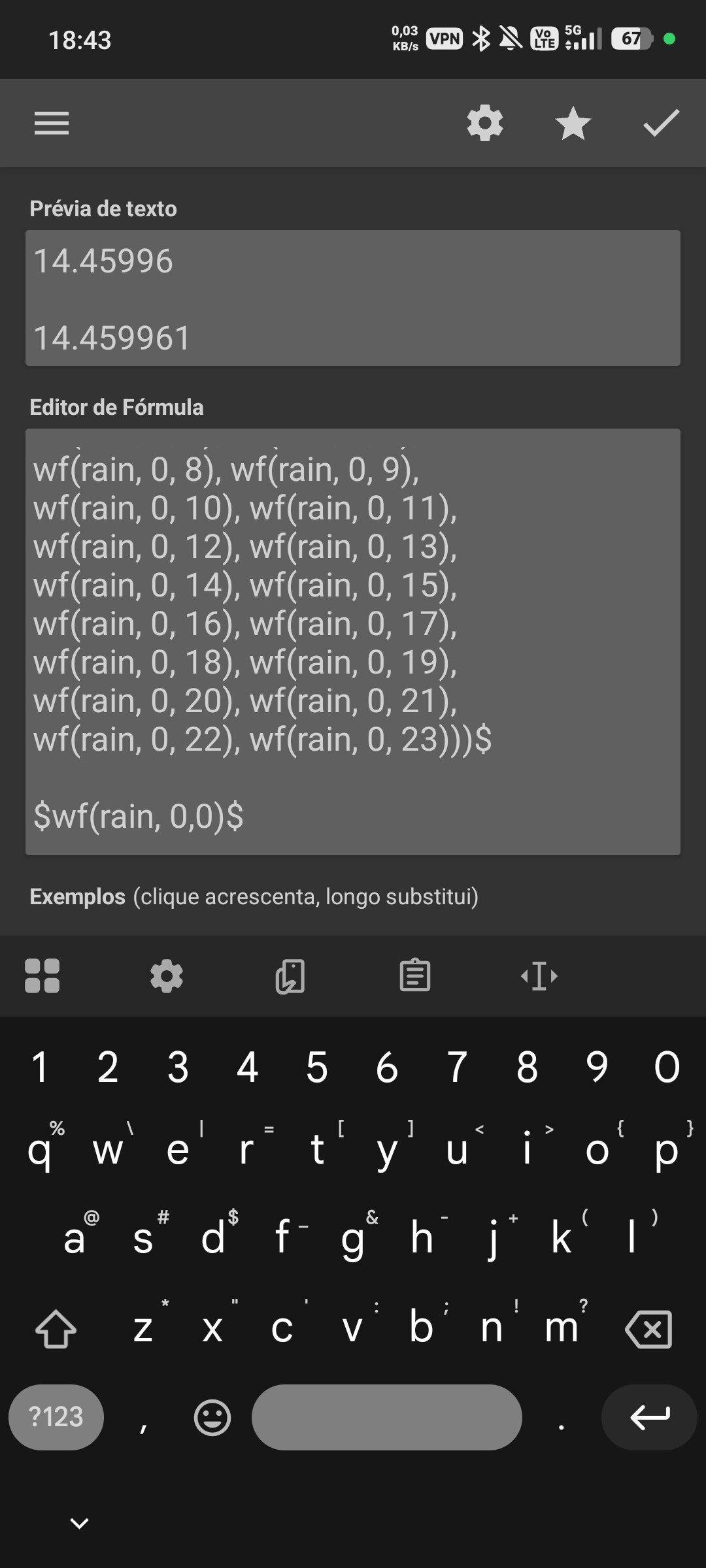
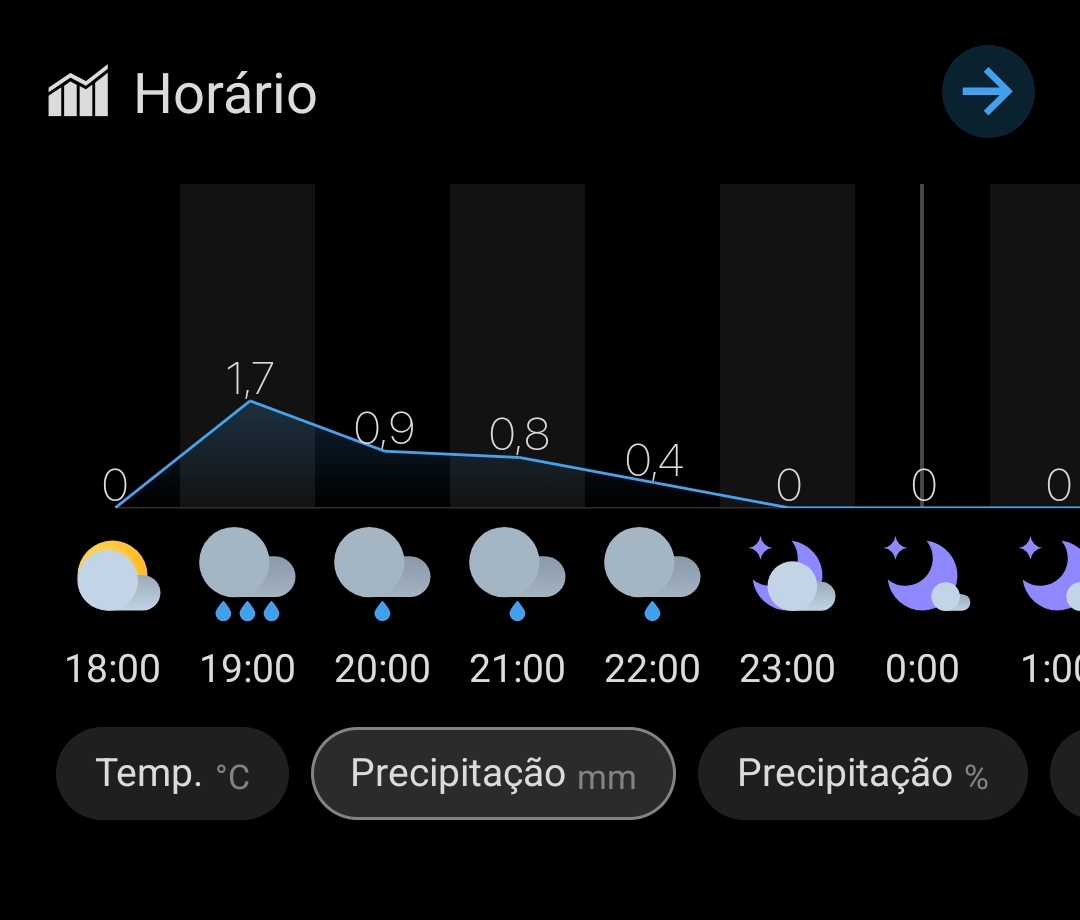
See the screenshot of a code snippet. Notice that when summing 24 hours, the total rainfall is equal to that of hour 0 (the tiny difference can be attributed to rounding and can be disregarded). The second image is from Weather Wow, using the same provider, Weatherbit.
In Kustom, if you want to get a total (sum) of 24 hours of rain, you need to use the plus (+) operator between each value. In your snippet, you are just listing values separated by commas (,).
This is not a sum. In KLWP/KWGT, commas are only used to separate arguments inside a function (like mu(max, …)). If you just list them like that, Kustom won’t add them up.
If you use +, you will likely see a massive number (like 300mm+), because Weatherbit is giving you the ‘Daily Total’ for almost every hour slot.
Can you show us the beginning of your formula? What function are you using before the first wf(rain)? Because right now, your ‘sum’ resulting in exactly 14.45 suggests you are just picking one value from a list, not adding them together.