I’ve been looking high and low for a Samsung galaxy s3/4 accuweather actively changing widget that’s faithful to the og with this specific font, but only found one that’s contained in a zip file with a folder (that has images of different states of the widget and thumbnails) and a .uccw file. Now given that I don’t live in the 2010s my device is “too good” to run 14 year old software, please help id like to convert this file somehow.
Unfortunately, there’s no way to convert a .uccw file into KWGT directly. Your best option is to unzip the archive, extract the images and fonts, and manually recreate the widget in KWGT.
Oh alr. Is there someway I could like get someone who knows how to use this app better to help me w it? Promise I’m not trying to be lazy, I just have no idea how to make a widget on this app, and having a dynamic widget that changes depending on the weather and time of day feels a little unrealistic as my first one. I also saw something about some “widgets by you” feature, but I’m not sure how that works
I think you should start with simple widgets. The best way to learn is by importing other people’s work and seeing how everything is put together. There are many KWGT packs on the Play Store, both free and paid. Most basic formulas can also be found right inside the app itself. You can also check out this resource here: Functions | Kustom HQ
Okay thank u my man lots of love
The S3/S4 AccuWeather widget really was something. That font and the little animated states are hard to find now, so I get why you’d want to recreate it rather than settle for a modern lookalike.
Worth checking if anyone has already shared a KWGT rebuild of it on the Kustom forums or Reddit. A lot of those classic widget recreations have been done before, and someone might have the images and formulas already put together.
Hi @HMZ ,
Would you mind sharing the archive (the .zip file) containing the typeface (the front) and/or the images used in the weather widget?
Thank you.


Sure, no problem! I’m also already on the home stretch of making my own one, im just tapping the last nails in with the little additional “accuweather.com” and date and temperature elements, so if you want i could share how far I’ve progressed too.
Hi @HMZ ,
Sorry but I did not see any download link in your last reply here.
Alr wait lemme send it again, it’s a Google drive link https://drive.google.com/drive/folders/14bf_vKjR8J4EHzjX3ifrvzBRT8xL9KCg
Hi @HMZ ,
It looks like the folder has not been shared yet. I just requested the access to you.
Thank you
I once made an approximate remake of the Galaxy S2 widget, but with my own weather komp, not the original AccuWeather. Maybe someone will find it interesting. I posted it on Reddit and included a link to the file
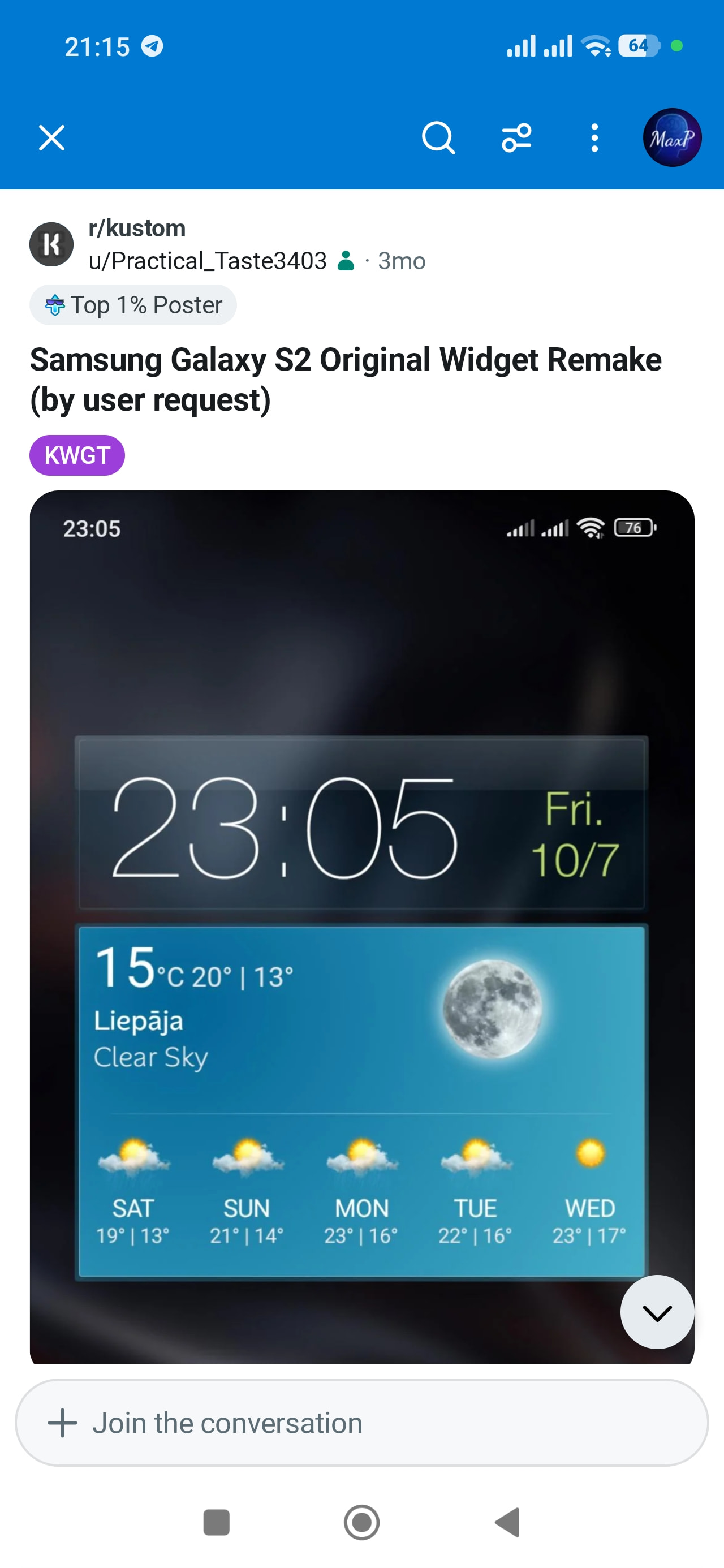
My bad, it should be fixed now, turns out I didn’t turn on accessibility for everyone with the link  , super sorry its my first time sharing a Google drive fokder
super cool! The version of the widget I’m making is for the galaxy s3 I’m pretty sure, and I’m at the stage where all that’s left is to add all the additional information under the clock, say could you tell me how I could change its weather information source? Because from what I understand, you’re supposed to use a “kfile” and I don’t know how to implement that yet
In progress… Weather widget with dynamic scene and icon.
Preview

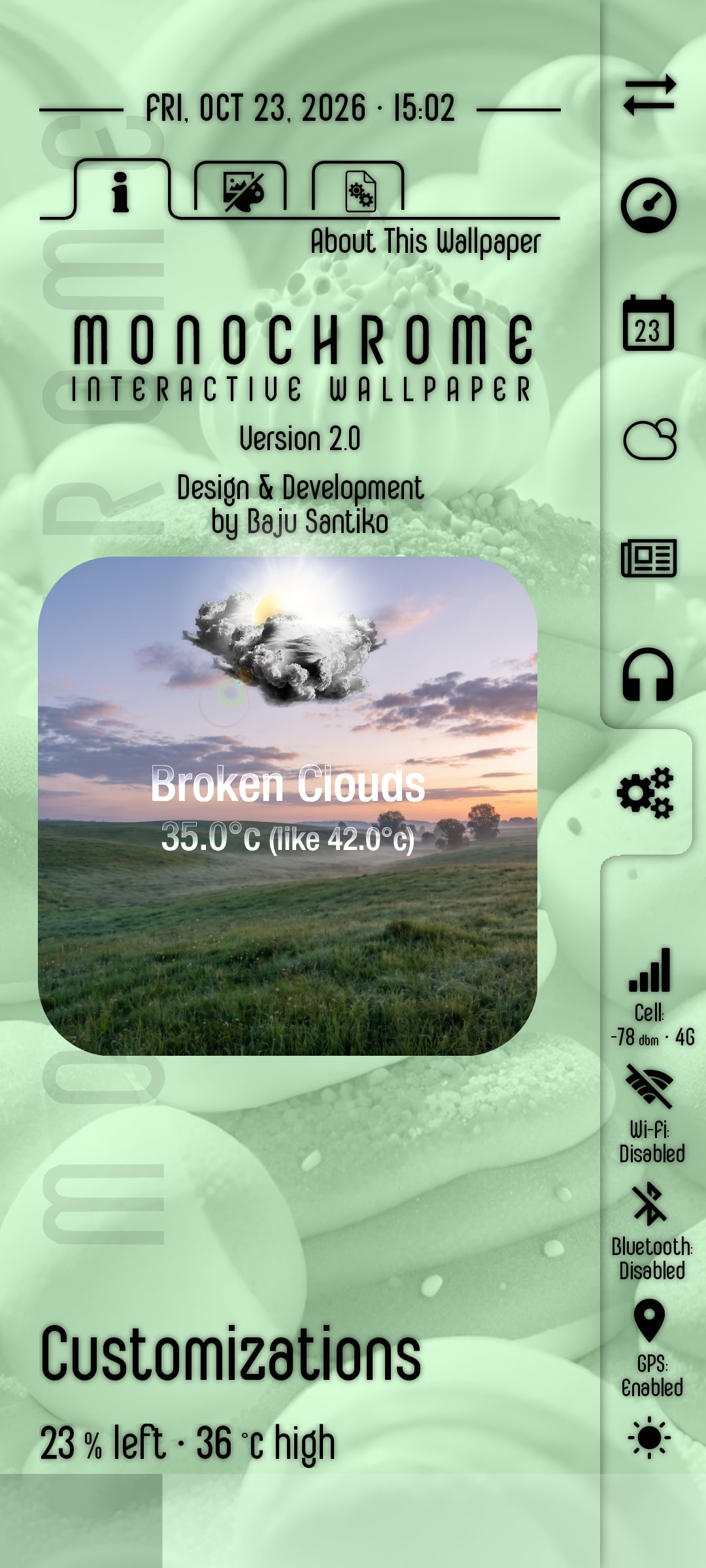
Features
- Dynamic scene, based on the time of day (00:00…23:59)
- Dynamic weather image, based on the current weather condition
- Additional features are coming soon: condition, temperature, humidity, etc.
Please let me know whether this is okay and I will continue working on it.
I hope this would help.

If I understood you correctly, you want to change the weather provider. You can do that in the Kustom settings: Weather → Weather Provider, then select the provider you want.
Just keep in mind that AccuWeather requires a paid subscription. Also, if I remember correctly, you’ll need to install the Kustom Weather Plugin from the Play Store as well.
Hi @HMZ ,
I have just finished building this preset as a Komponent. Would you like to try it?
https://forum.kustom.rocks/t/komponent-dynamic-weather-widget-v1-0-261023
I hope this would help.
Oh definitely I have zero problems dude, matter of fact it looks sick! Keep it up big dawg
Tysm, I will try this otherwise I’ll just stick to the default weather provider since its probably good enough anyways.