Hello,
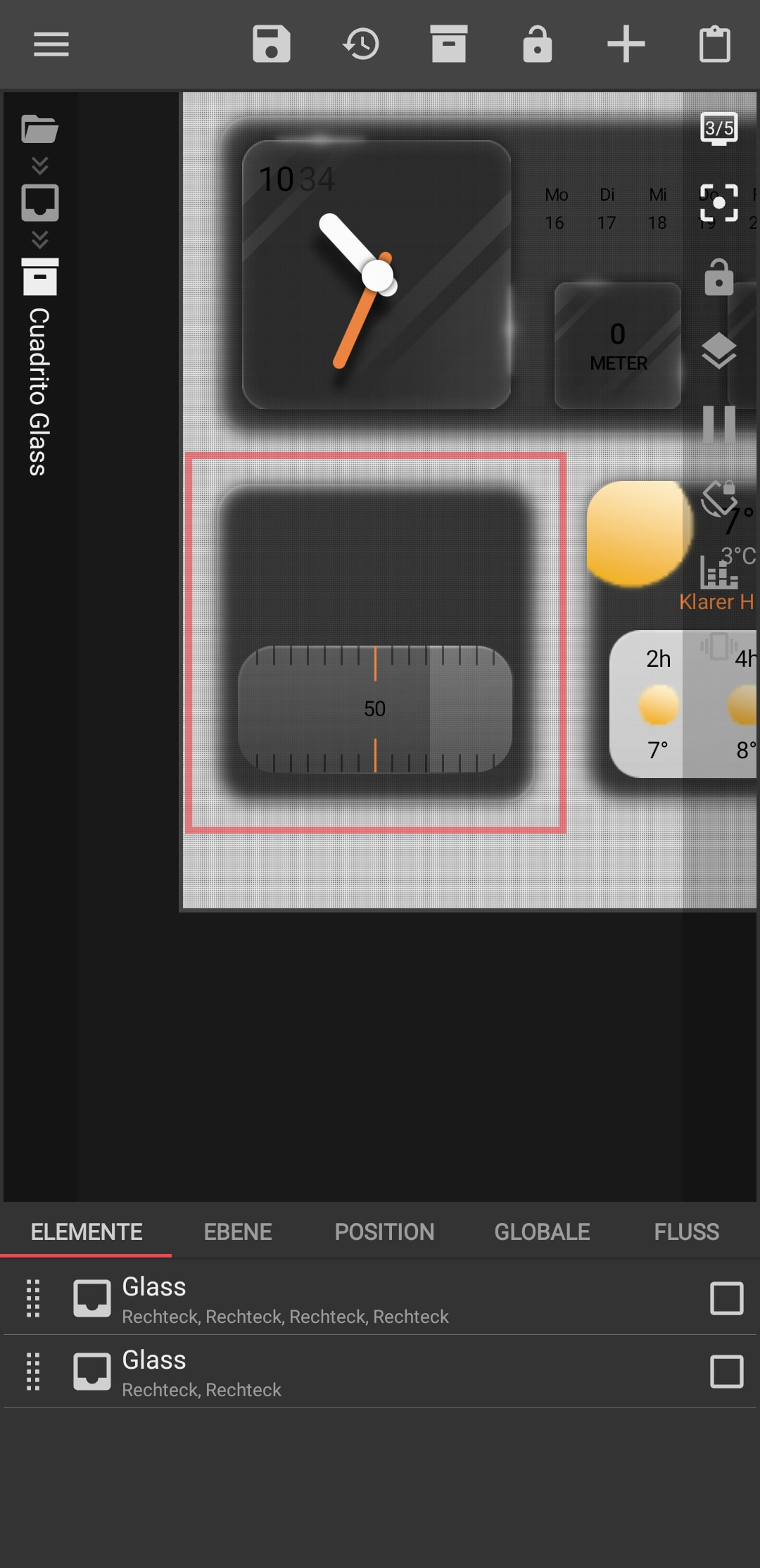
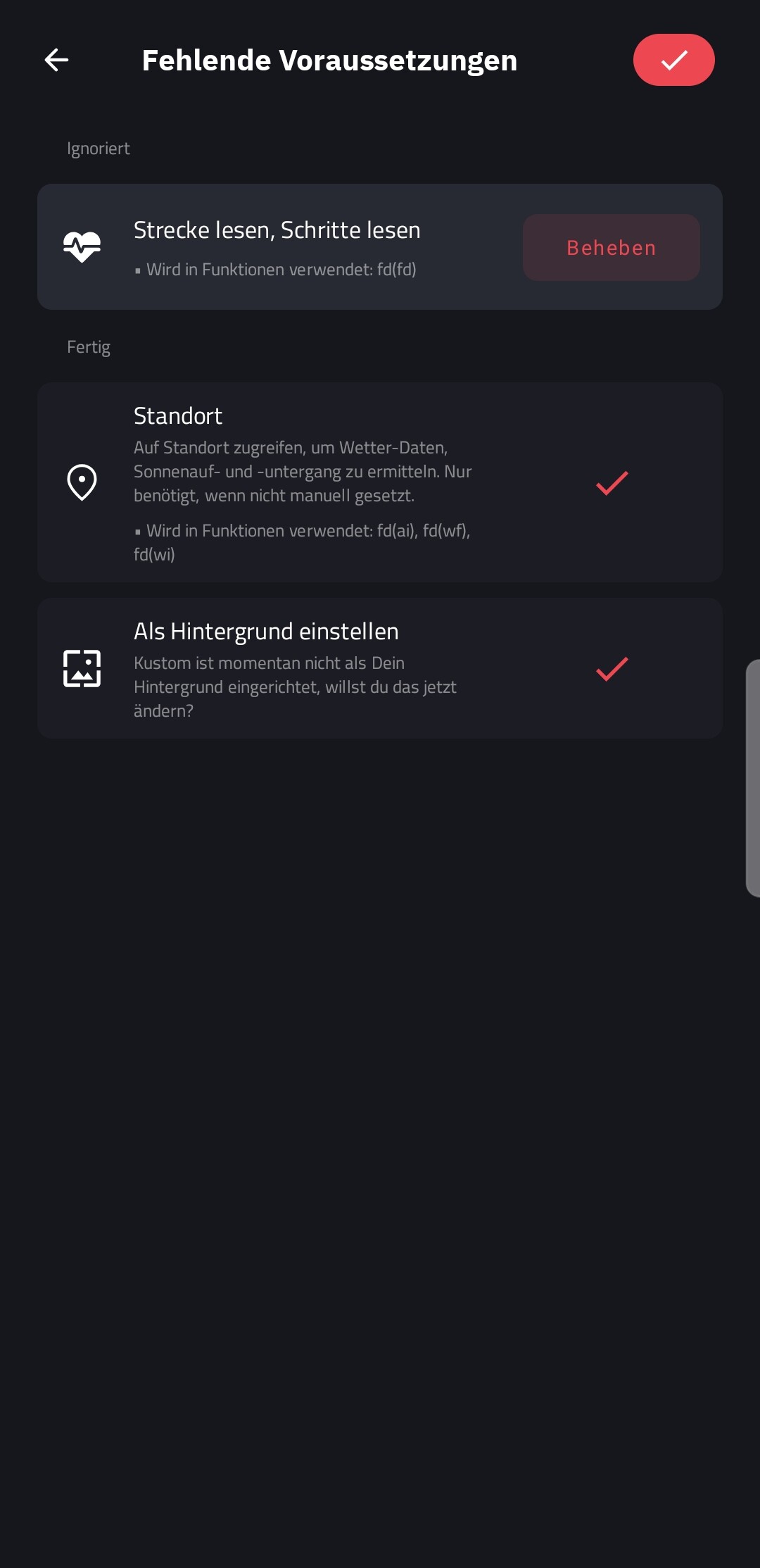
After the update, my glass overlay will no longer work. In addition, I cannot fix the fitness data (steps, etc.).
Hello,
After the update, my glass overlay will no longer work. In addition, I cannot fix the fitness data (steps, etc.).
Official information from the developer.
”Health Connect removal in 3.82
I have some bad news regarding Health Connect integration in Kustom apps. Starting with version 3.82, I am forced to remove all fitness and health-related permissions from the Play Store versions of the apps.
I’m honestly beyond pissed about this. I’ve spent the last few months working tirelessly to implement the granular permissions Google demanded. After jumping through all their hoops, I actually got an approval for 3.81 and i thought it was ok, only for every subsequent update to be automatically rejected. The reason? Google’s bots have decided that Kustom’s “core functionality” is not fitness-related, so we aren’t “allowed” to see that data. Appeal didn’t work either so i have no choice left.
This capability has been live for years and has never been an issue until now. I know lots of you rely on these features for your daily setups, and I’ve fought hard to keep them. I’ve spent months changing descriptions, updating screenshots, and rewriting justifications, but nothing works against their automated refusal system.
I’m not the only developer facing this—Google is basically gatekeeping health data for “pure” fitness apps only, ignoring the fact that Kustom is a powerful data visualization tool.
$fd(steps)$, $fd(cals)$, etc., will stop working as the permissions are gone.I’m sorry for the frustration this causes. I did everything I could to make this work, but the current Play Store policies make it impossible for a customization tool to access this data.
UPDATE: a new plugin called KBooster will be available via manual download on kustom site, the plugin will enable fitness on the Play Store version, the plugin will not be directly linked in the Play Store version you need to download it manually
Thanks for the continued support,
Frank”
Thanks @MaxP for the infos.
but why my glass overlay doesn’t work anymore
The ‘Glass’ effect itself isn’t broken the problem is that your glass cards are likely filled or animated based on fitness formulas (like steps or distance).
Since Google removed fitness data from the Play Store version, your formulas are returning ‘0’, so the ‘Glass’ filling or progress bars simply don’t show up. It looks broken, but it’s actually just empty.
To fix this, you need to:
Switch to the AOSP version: Go to the official Downloads | Kustom HQ website and download the APK directly. This version still has the fitness permissions that Google blocked.
Install it over your current app: Your presets will remain, but Kustom will regain access to your steps/meters.
There is a possibility that a separate plugin might be released in the future to bridge this gap for the Play Store version, but that is not confirmed yet. For now, the AOSP version is your only 100% working solution to get those ‘Glass’ widgets back to life.
If you want me to be sure, you can share the formula inside the ‘Glass’ layer, but I’m 99% sure it’s the missing fitness data.
These This is a false statement. These glasses consist only of rectangles. The only formula in the component is this:
$if(gv(mode)~=#, gv(mode),
gv(mode)=Light, gv(colour),
gv(mode)=Dark, gv(colour 2),
gv(mode)~=Auto,
if(ai(isday), gv(colour), gv(colour 2)),
gv(mode)~=System,
if(si(darkmode), gv(colour 2), gv(colour)))$
Look, your formulas only handle color switching (Light/Dark/System) and have nothing to do with fitness data so that part is fine.
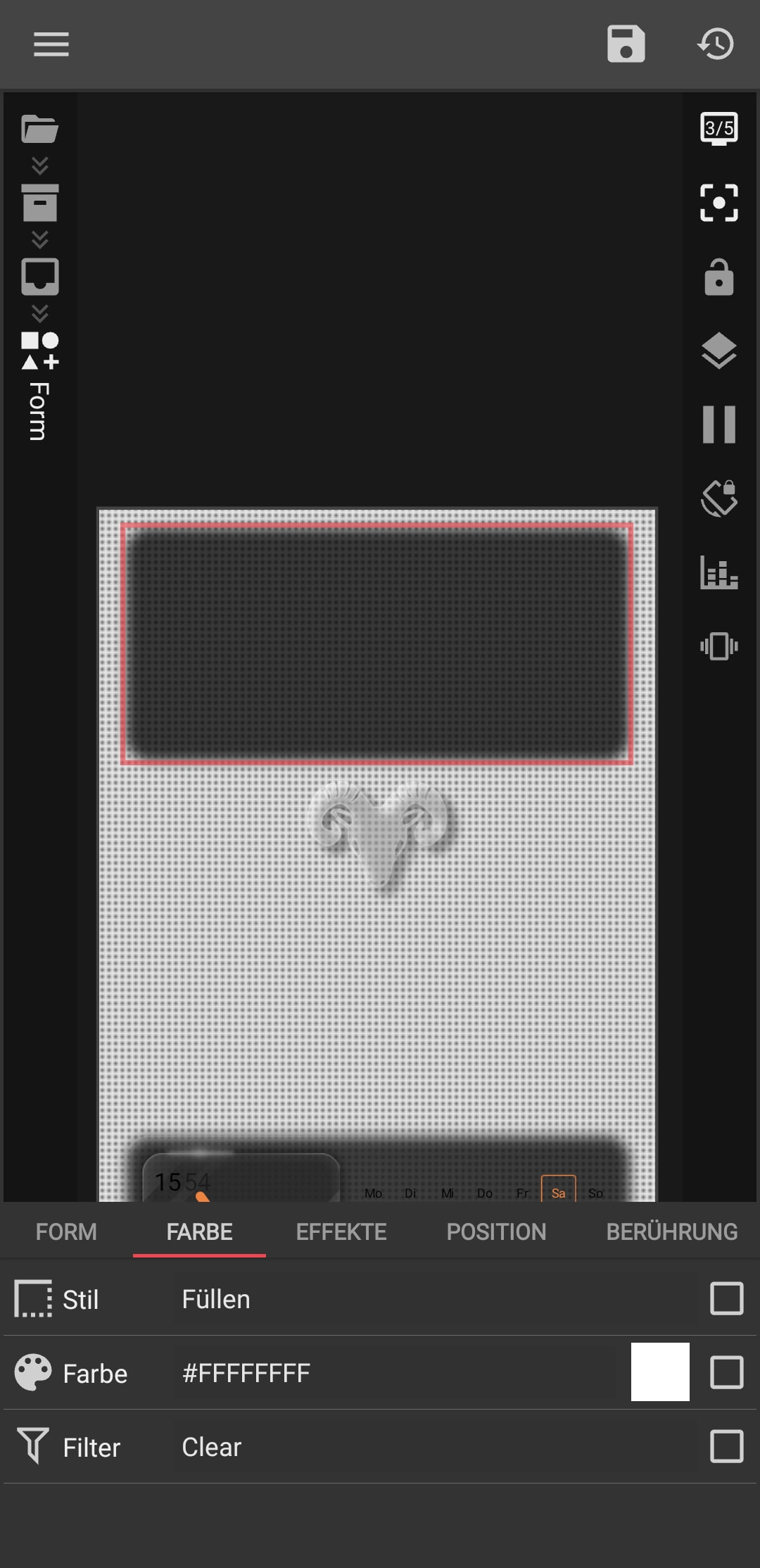
However, I see a major issue on your screenshot: your Filter is set to ‘Clear’. In Kustom, the Clear filter acts like an eraser it literally cuts a ‘hole’ through the widget. With this setting, you will never see the element because it’s forced to be a transparent cutout.
Try this:
Change Filter: Clear to Normal…
It is very difficult to understand the full layer hierarchy just from one screenshot. If you want me to take a deeper look, upload your file (KLWP/KWGT) to Google Drive and share the link. I’ll check exactly what’s wrong with the ‘Glass’ effect inside the editor.
Yes, he is on “clear” so that he removes the inside from the other rectangle, only that makes KLWP no longer.
“Clear” no longer works as an eraser and does not make a hole as an effect.
Listen, version 3.82 from the Play Store is the reason your fitness data is dead Google simply banned it. Also, the rendering issues with your ‘Clear’ filter are likely caused by the same update.
Try to uninstall the Play Store version.
Go to klwp | Kustom HQ and download AOSP version 3.81.
Why 3.81 AOSP? It still supports fitness data, and the ‘Clear’ filter should work much more reliably there.
It’s the same app, just without Google’s annoying limitations. Give it a try, and your ‘Glass’ effect and fitness data should finally come back to life!
If the program cannot open after installation, it will close immediately.
and why 3.81 aosp … 3.82 aosp is also on the website …
Do I need to uninstall the ProLizens?
Why 3.81? I recommend 3.81 because I’ve tested it, and I haven’t installed 3.82, so I can’t recommend it. That’s why I suggest 3.81 — but it’s your choice, of course, you can install version 3.82 as well.
It’s your choice!
Pro License: No, do NOT uninstall your Pro License app (if you have the separate key app). Just uninstall the main KLWP app. When you install the AOSP version, it will recognize your license automatically.
App crashes: If it closes immediately, it’s usually because of a conflict with the previous version. Make sure you completely uninstall the Play Store version first, then restart your phone, and then install the AOSP APK.
Also, make sure you give the app all the necessary permissions (Storage, Notifications, etc.) manually in your phone settings if it doesn’t ask for them.
“Has advertising… as often as I open KLWP, it’s no fun to watch two minutes advertising all the time.”
I get it ….
Please send a quick email to [email protected] with these points:
State that you have a purchased Pro license.
Explain that you had to switch to the AOSP version because Google Fit data and filters stopped working in the Play Store version.
Report that the AOSP version is showing constant ads despite your valid license.
They should be able to verify your purchase and help you disable the ads for the AOSP build.