Is this a bug because GPS/Networking is enabled on my phone and in the app
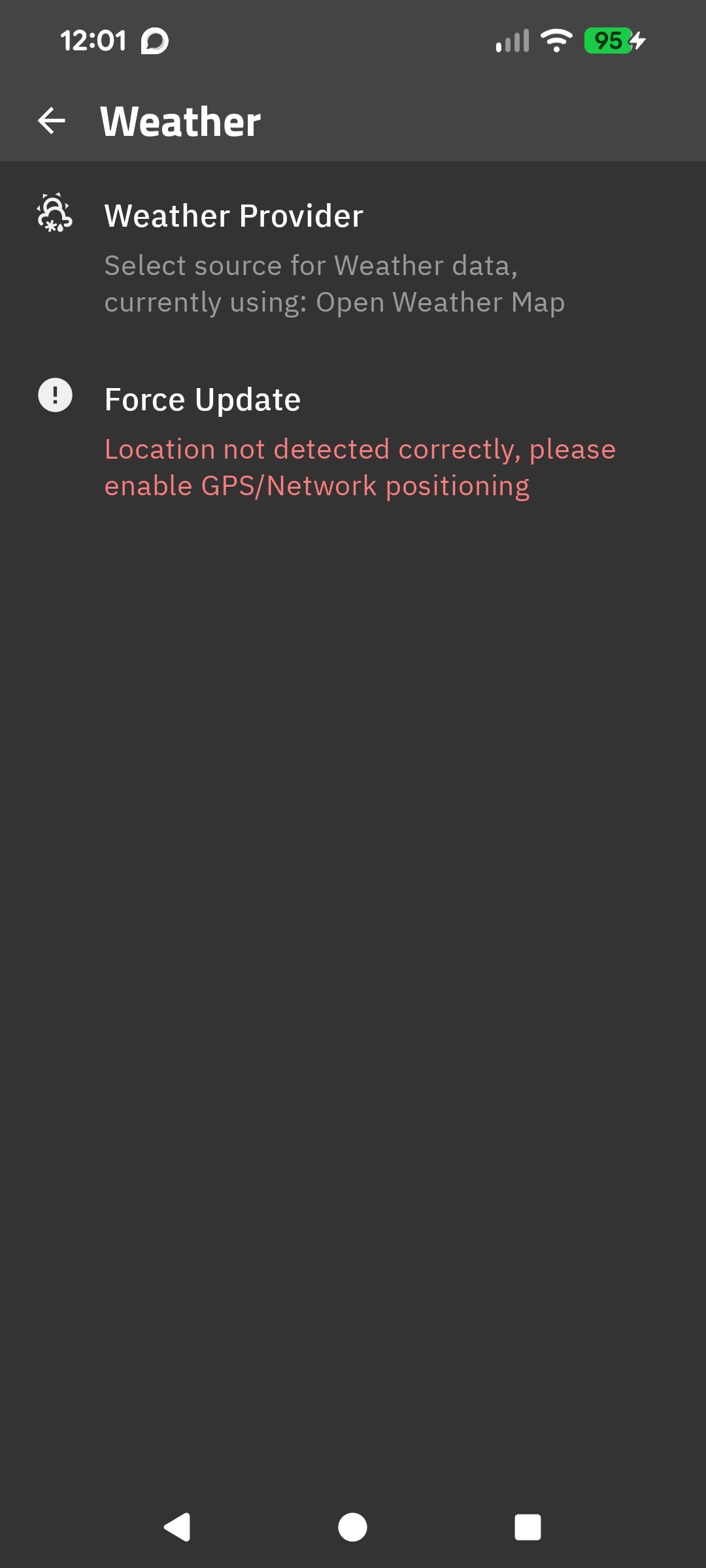
Check these steps:
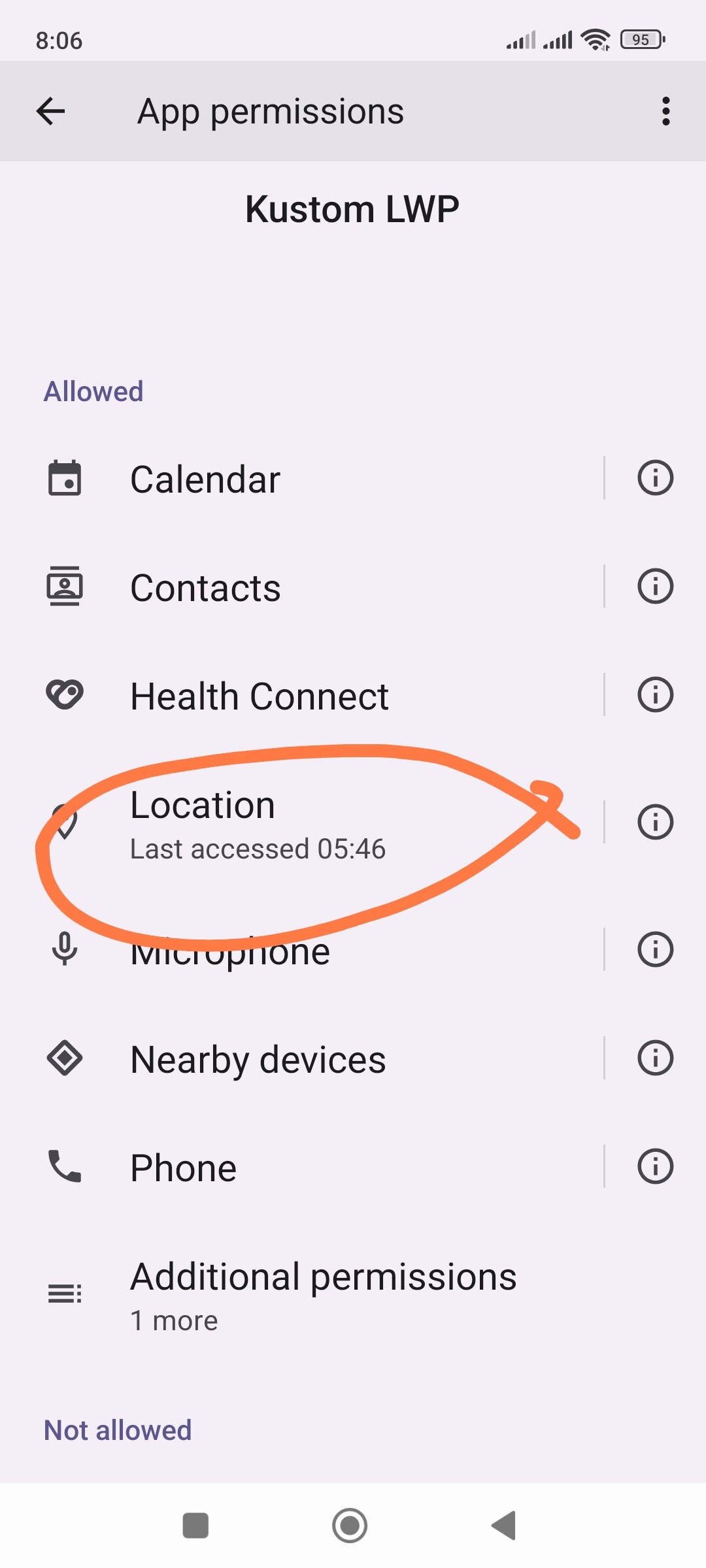
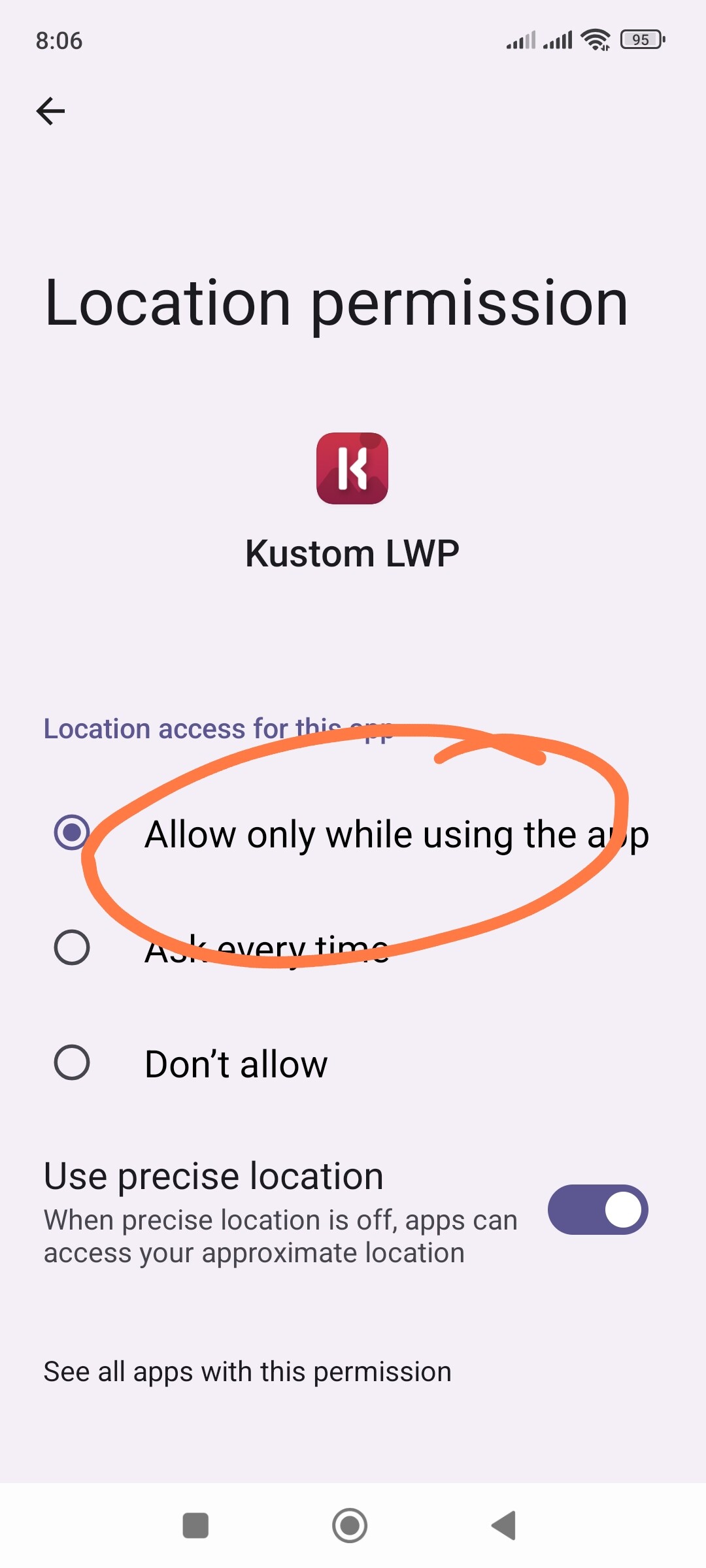
System Permissions: Go to App Info → KLWP → Permissions. Make sure Location is allowed and Precise location is toggled ON.
Access History: Check the ‘Last accessed’ timestamp in the permission settings. If it’s old, the system is blocking KLWP in the background.
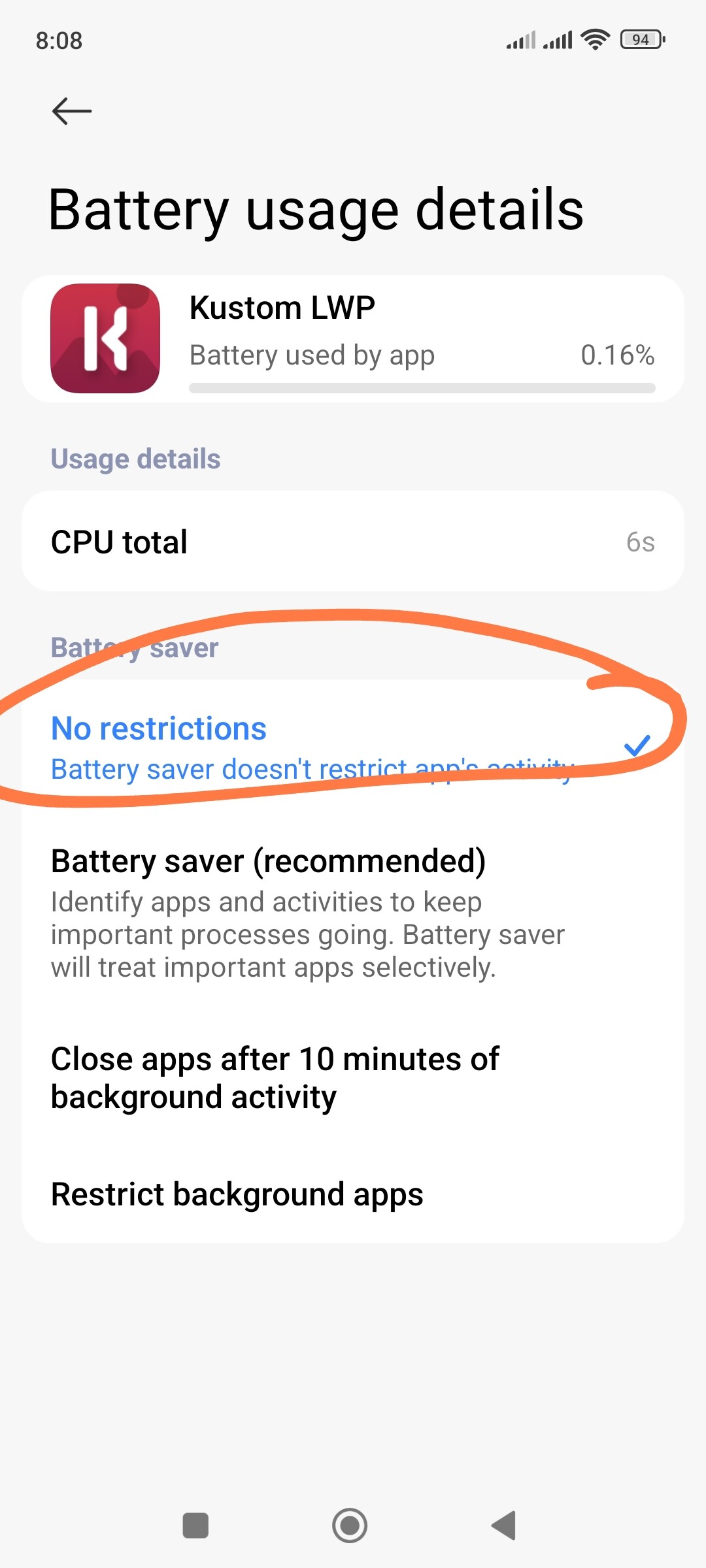
Battery Saver: Set KLWP to ‘No restrictions’.
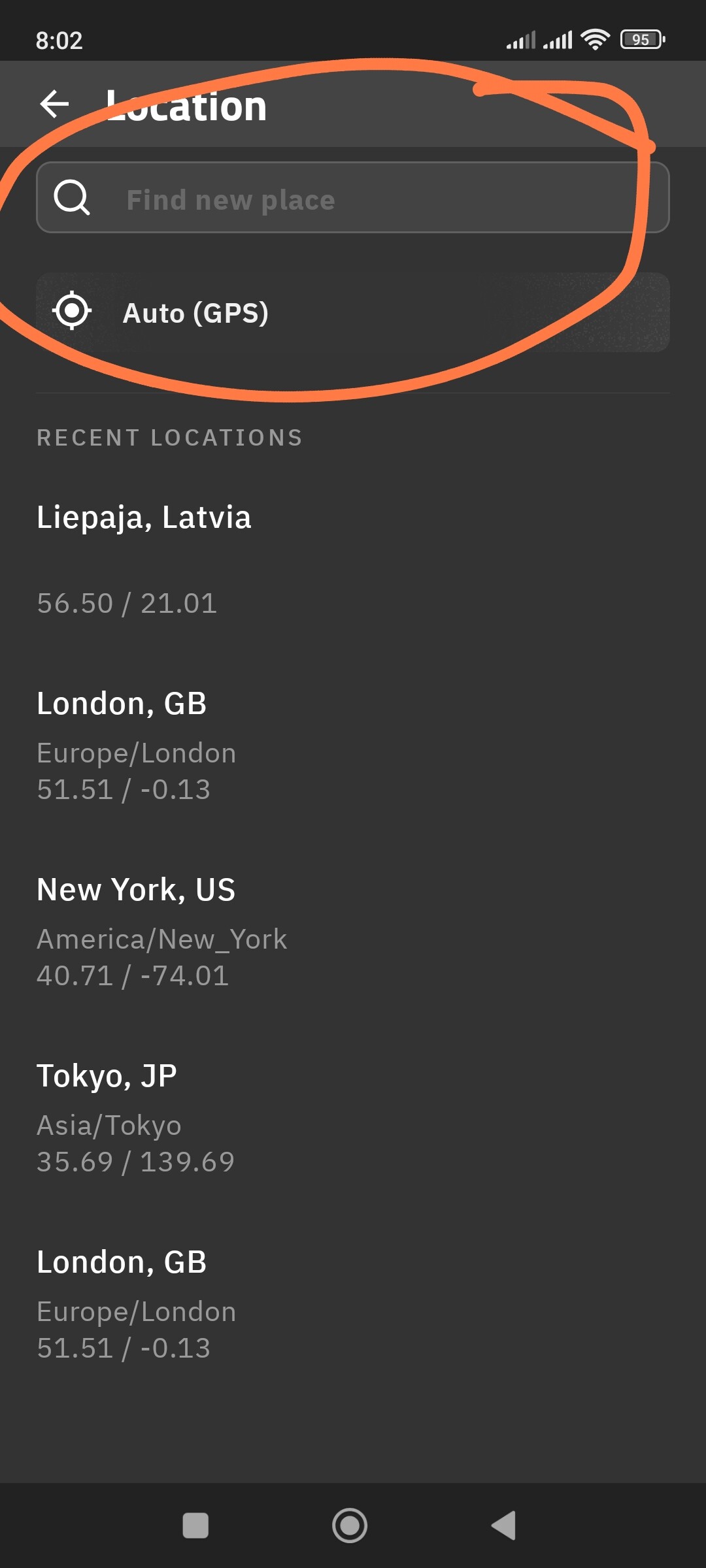
Manual Test: In KLWP Settings → Location, set it to Manual and pick any city. If the weather updates, then your GPS permissions are the problem.
One more thing you also can to try: Reset Permissions.
Revoke (turn off) the Location permission for KLWP.
Open KLWP and grant the permission again and Restart your phone.
Sometimes it’s actually an issue with the weather provider’s API being temporarily down or rate-limited. Try switching the weather provider in the Kustom settings (to OpenWeatherMap or Yr.no) just to see if it manages to pull data then. If it works on a different provider, you’ll know it’s a server-side glitch and not your phone!