so i created a custom date widget that displays only the current day and nothing else, and i applied a custom font i downloaded called Anurati (.otf file) but when i apply the font it only changes the first letter of the text (in this case “monday”) and the rest just stays in the default font. any idea whats going on??
Close KWGT and clear the cache.
Delete the font from your Kustom/fonts folder, then use a file manager to place the font back into the fonts folder again.
Check it after that — in 90% of cases this fixes the issue.
If not, the font is probably corrupted.
Just tried it, didn’t work. So i’m guessing the font is corrupted in which case i can’t do anything?
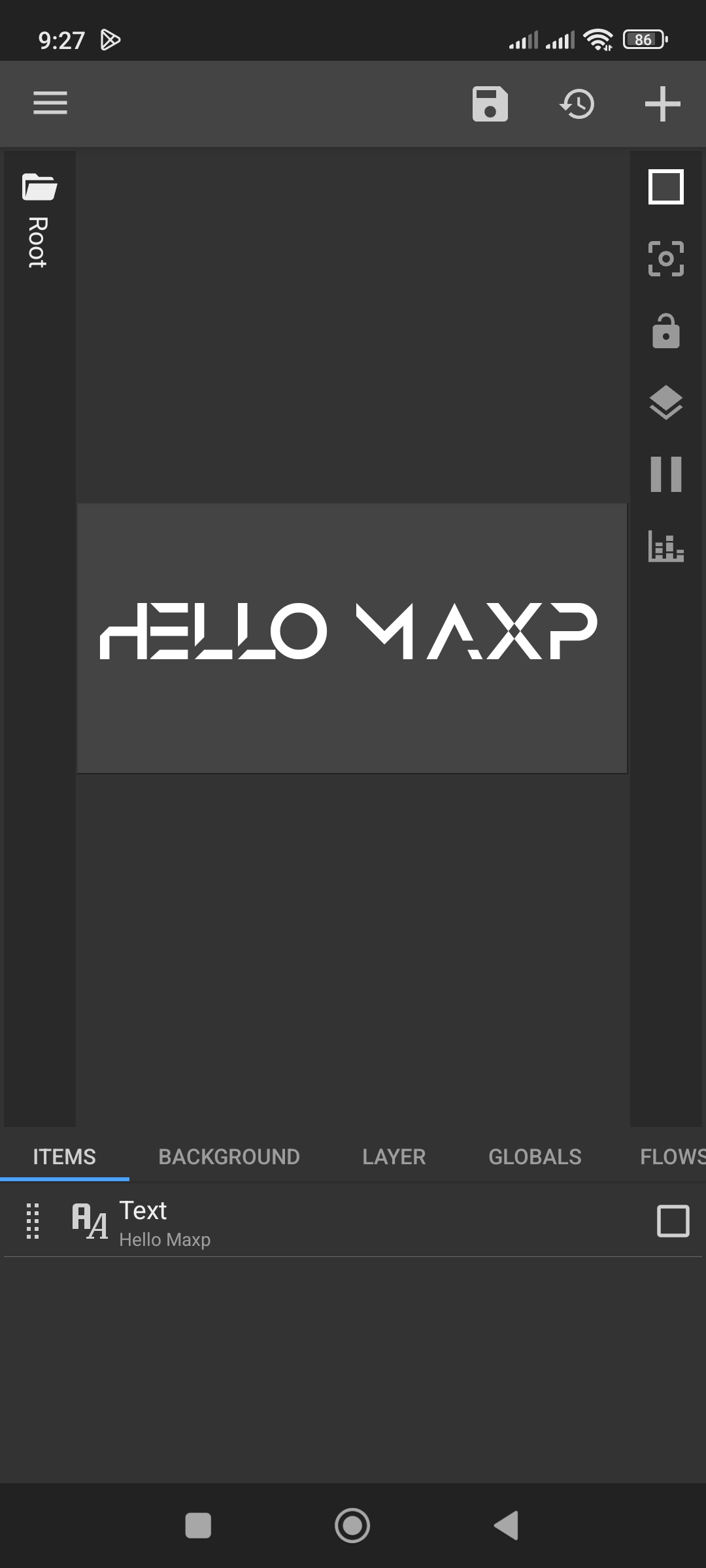
ohh you’re right, that fixed it! thanks!
it still doesnt work with numbers tho
Anurati is uppercase‑only, and it doesn’t include any number glyphs. It’s a purely decorative font, so there are no lowercase letters or digits in the character set.
ahh thats why, i see. thanks for the help!


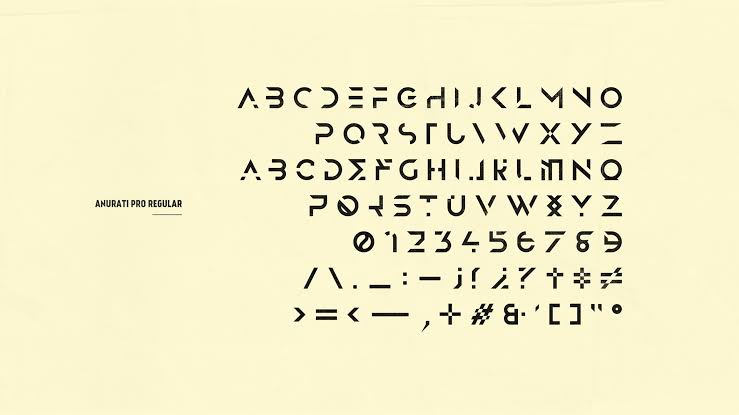

Hi Baju_Santiko. Thanks for the info. Yeah, I didn’t go into the details of this font — I just checked it quickly in a font editor.
i could reproduce this. the Anurati file you have only contains uppercase letters, it has no lowercase glyphs at all. so when the text is ‘Monday’, only the capital M exists in Anurati and android draws the rest of the letters with the default font because they are missing from the font. that is why just the first letter changes. if you make the text all uppercase the whole word picks up the Anurati look. you can do that with a filter on the text or by wrapping the formula like $tc(up, df(EEEE))$ so it becomes MONDAY. nothing wrong on the kustom side here, it is the font that is missing the lowercase shapes.