Current and fixed location - code differences query

Hi all, good to meet you in a vague sense!
I’m new to the world of KWGT but have made myself a dual Clock / Weather widget where I want the left side information (Home) to be pulled from a fixed home location and the right side information (Dynamic) to be pulled from wherever Current location is.

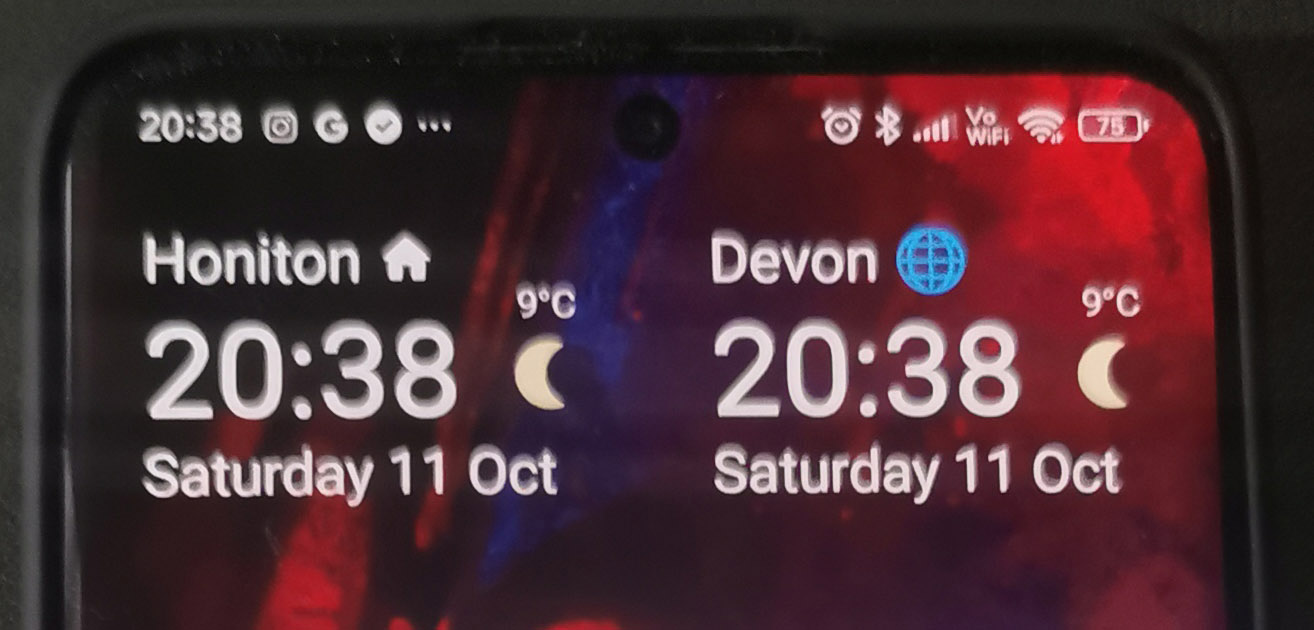
So I set (Home) to use Alternate location 1 which I entered into the Settings > Location prefs and I set Dynamic to use the auto location. It pulls in temp and a little icon.

It worked in terms of the place name changed when I travelled, but the Dynamic seems to be showing the same weather info and icon as Home.

Could anyone help me with the correction to get Dynamic to pull in the temp and weather icon from the current location not from Home?

I used the inbuilt weatherflatsvg icon by the way.

Any help really appreciated!
Thanks much

Hi there,

Here’s my tips on showing the weather forecast on home location and on the current location.

STEP 1

  • Create an Overlap Group for the Home Location
  • Select the home location you want
  • Select the timezone for the home location

STEP 2

  • Repeat the first step, for the current location (default location by GPS)

STEP 3
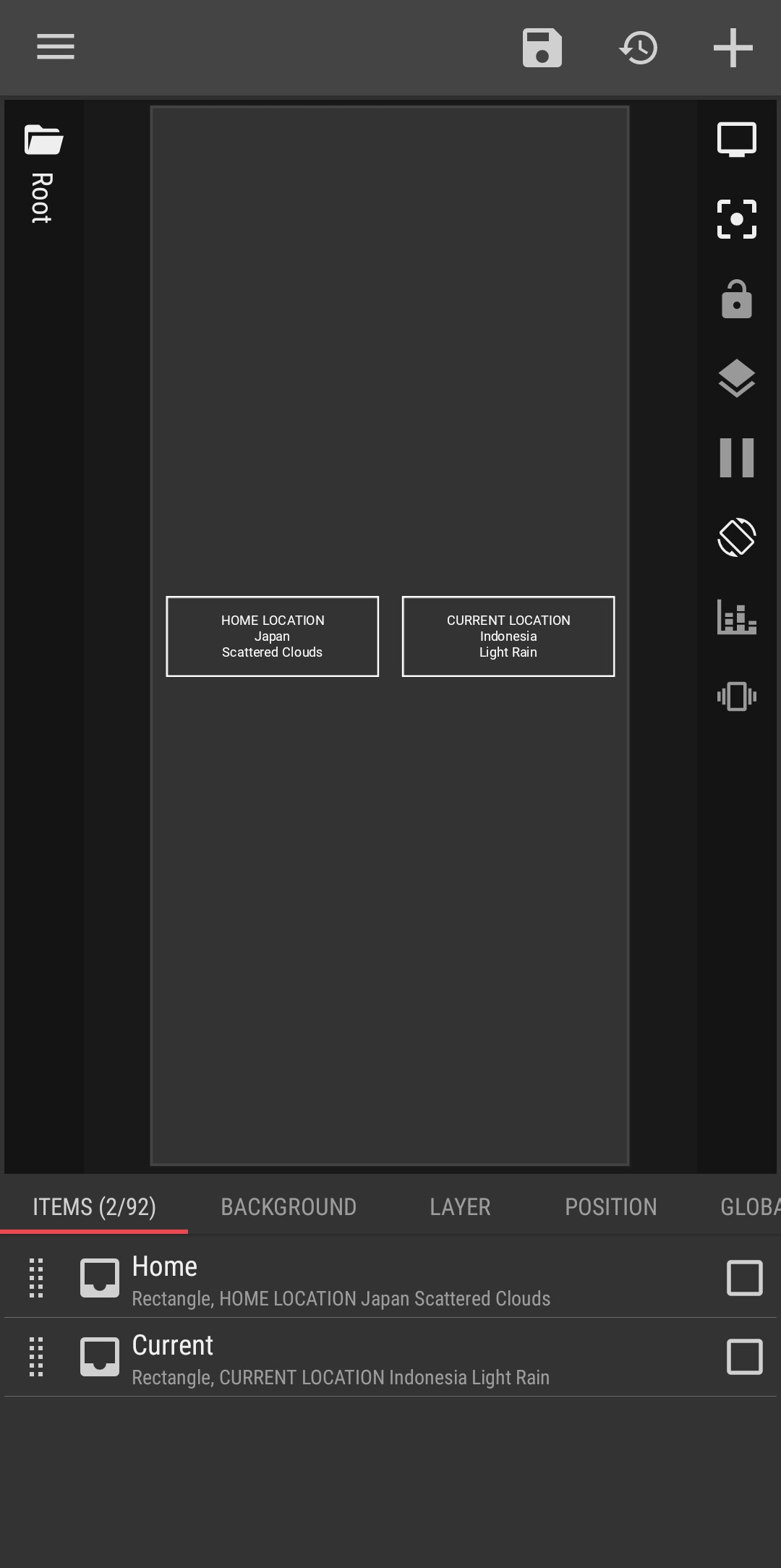
In each Overlap Group, create a Text object and enter this code snippet to show the weather forecast on each location:

$tc(cap,wf(cond,0))$

NOTES

  • wf(cond,0) ➞ show the today’s weather condition
  • tc(cap,…) ➞ capitalize the text of today’s weather condition
  • You can add additional information of today’s weather forecast as you like, such as: min & max temperatures, etc.
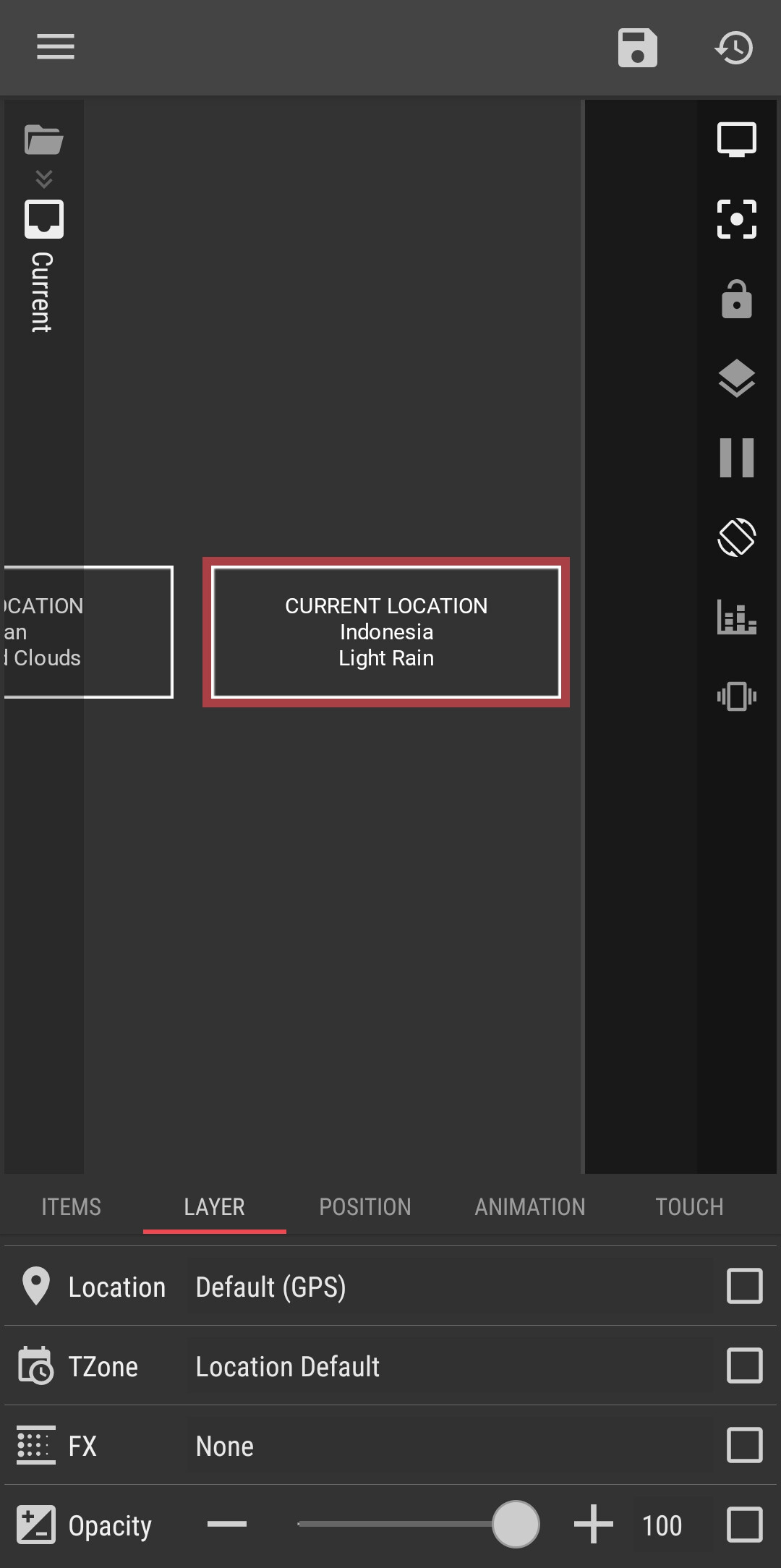
  • My example shows: the title of each box, country name, and weather condition

CURRENT LOCATION
$li(country)$
$tc(cap,wf(cond,0))$

Here’s the result

I hope this would help.
Did you find the most helpful response to your issue?
Please kindly press the :check_box_with_check: Solution button to mark it as the solution.
This would help others with the similar issue.

:smiling_face::+1:

Hi Baju_Santiko
Many thanks - I really appreciate your quick response.
I understand your explanation - thank you. Will the little weather icon also pull in details from the GPS location for the secondary info?
Attached is how it looks with the GPS set to Auto on the right hand block. Unfortunately I haven’t gone anywhere today to test it is working!
But so long as the Location information on the right block is set to GPS it should change everything when i travel - correct?
Thanks again

1 Like

The weather icon can be picked based on this code snippet:

$wf(icon,<index>)$

NOTES
Index:

  • 0: Today
  • 1: Tomorrow
  • … etc.

Example:

  • Icon name for today’s weather condition: $wf(icon,0)$
  • Icon name for tomorrow’s weather condition: $wf(icon,1) $

Just name the icon file the same as the one given by that code snippet.

:smiling_face::+1:

Hi
Pleased to say it has worked this morning and picked up my current location correctly. Result!

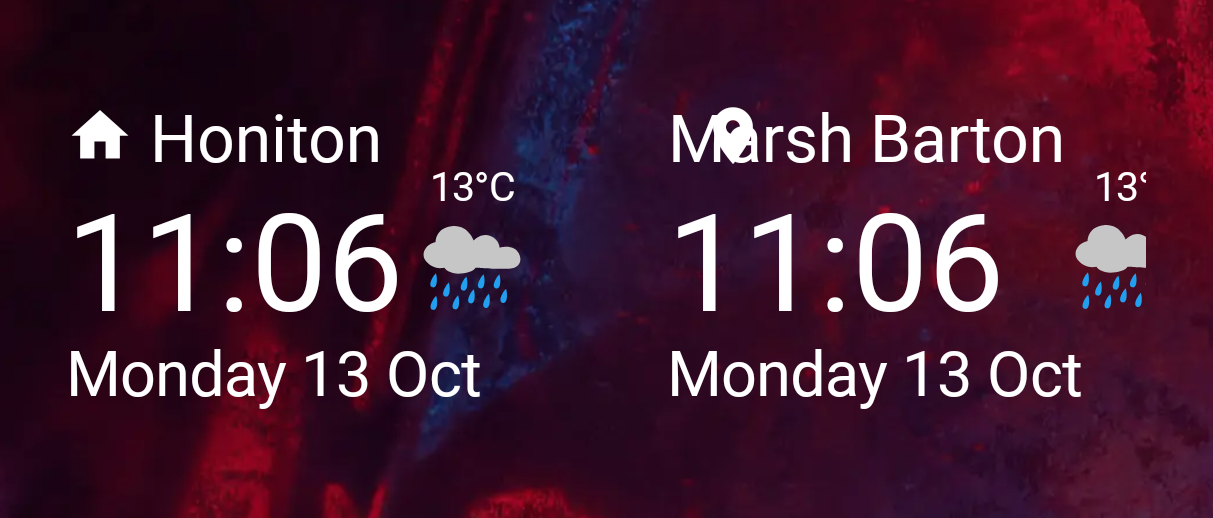
However there seems to be some issues with the formatting shifting. I have attached a new screenshot.

The current location seems to have pushed the temp and weather icon across so they are cropping off now?

Is this something to do with the layering of elements?

Thanks again

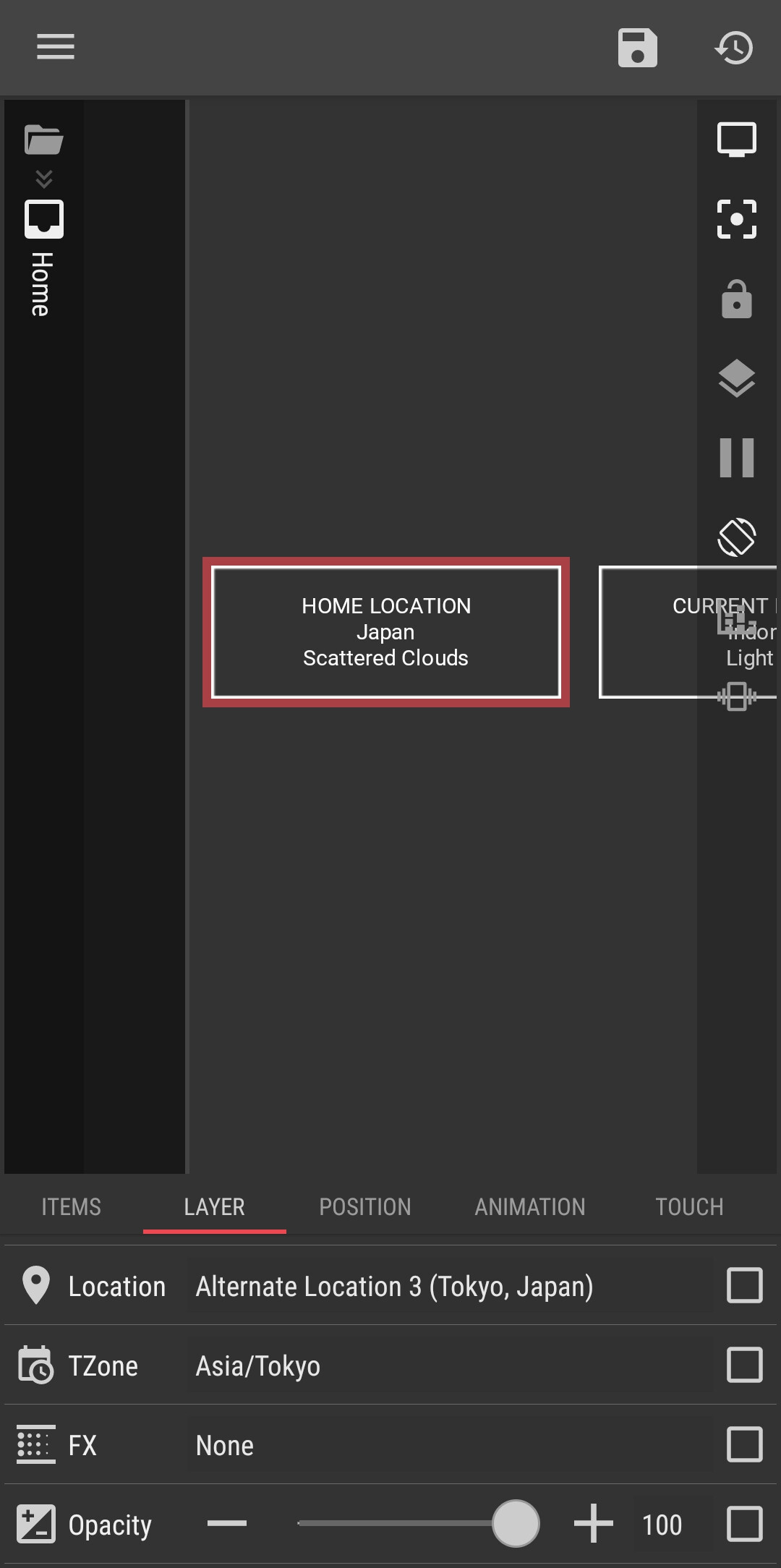
You have to look at what elements are nested together in layers and how those elements are stacked in the layer.
Either draw it out for yourself, so you can see where the issue is, or upload your widget somewhere so we can maybe check for you.
1 Like

I would suggest to use horizontal Stack Group, for both the icon and the name of the area.

I hope this would help.
:smiling_face::+1:

Thanks both, I managed to figure it out. I used Stacks when I should have used Overlaps.
Got it working now.
Appreciate your help, thanks much!

Thread can be closed now.

1 Like