Hi, I’m using Kustom Widget Pro for a desktop widget on my Samsung Galaxy home screen with Nova providing this. I’ve customised clock widget to display and provide instant access to various things like weather, maps and calendars. I expect it to display upcoming appointments from ALL of my calendars : Google, Samsung and Android. However, it’s only providing one and I think that is Samsung although I’m not certain, but it’s only one of those three. How do I get it to display appointments from ALL calendars? It would only ever be the next 2 appointments but at the moment I’ve some appointments coming up but they’re not displayed where my next appointment seems to be over 3 weeks away.
Thank you.
Hi @Ian_McCluskey ,
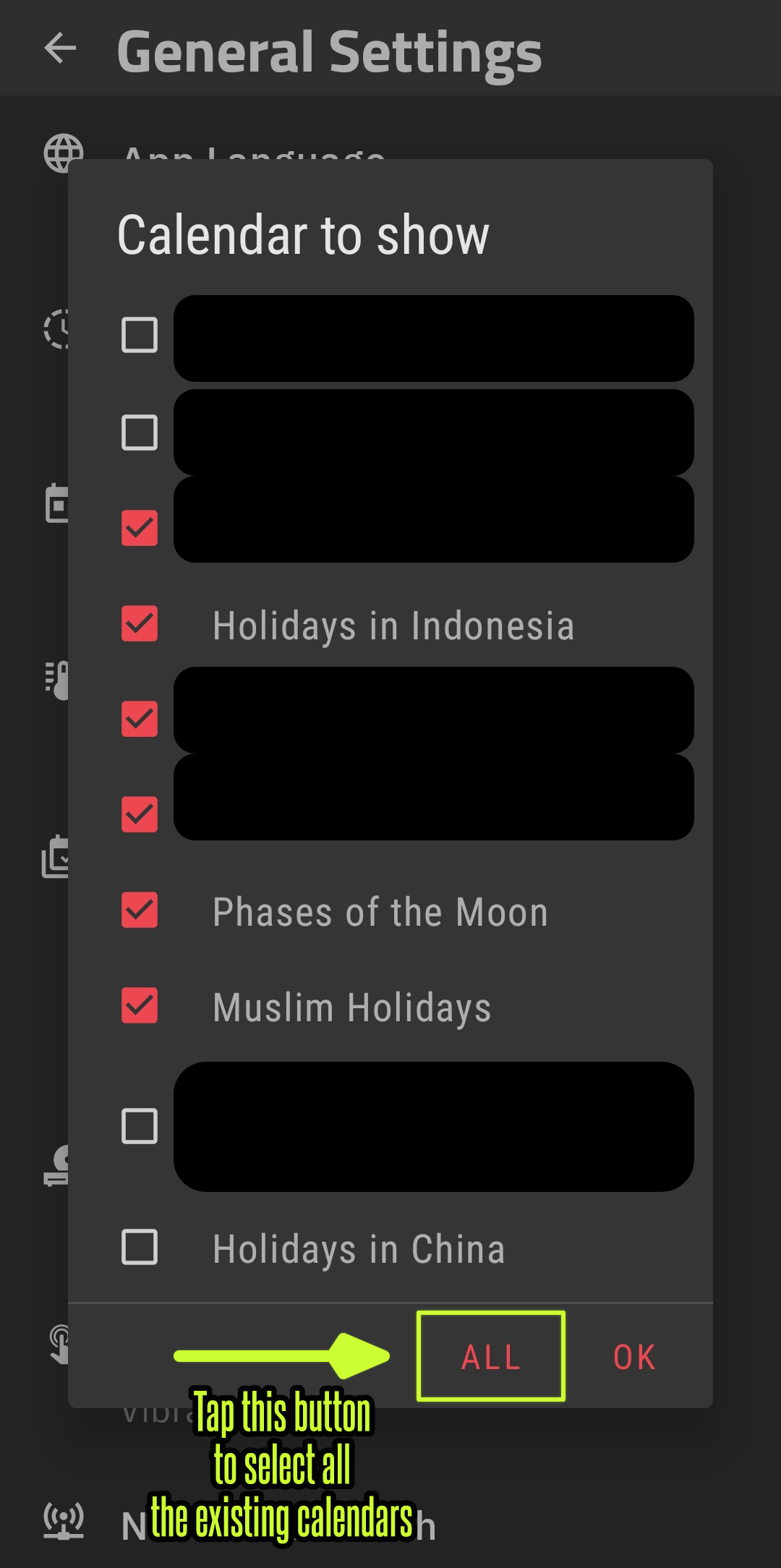
Have you tried to select all the existing calendars or several of them that you want?
I hope this would help.


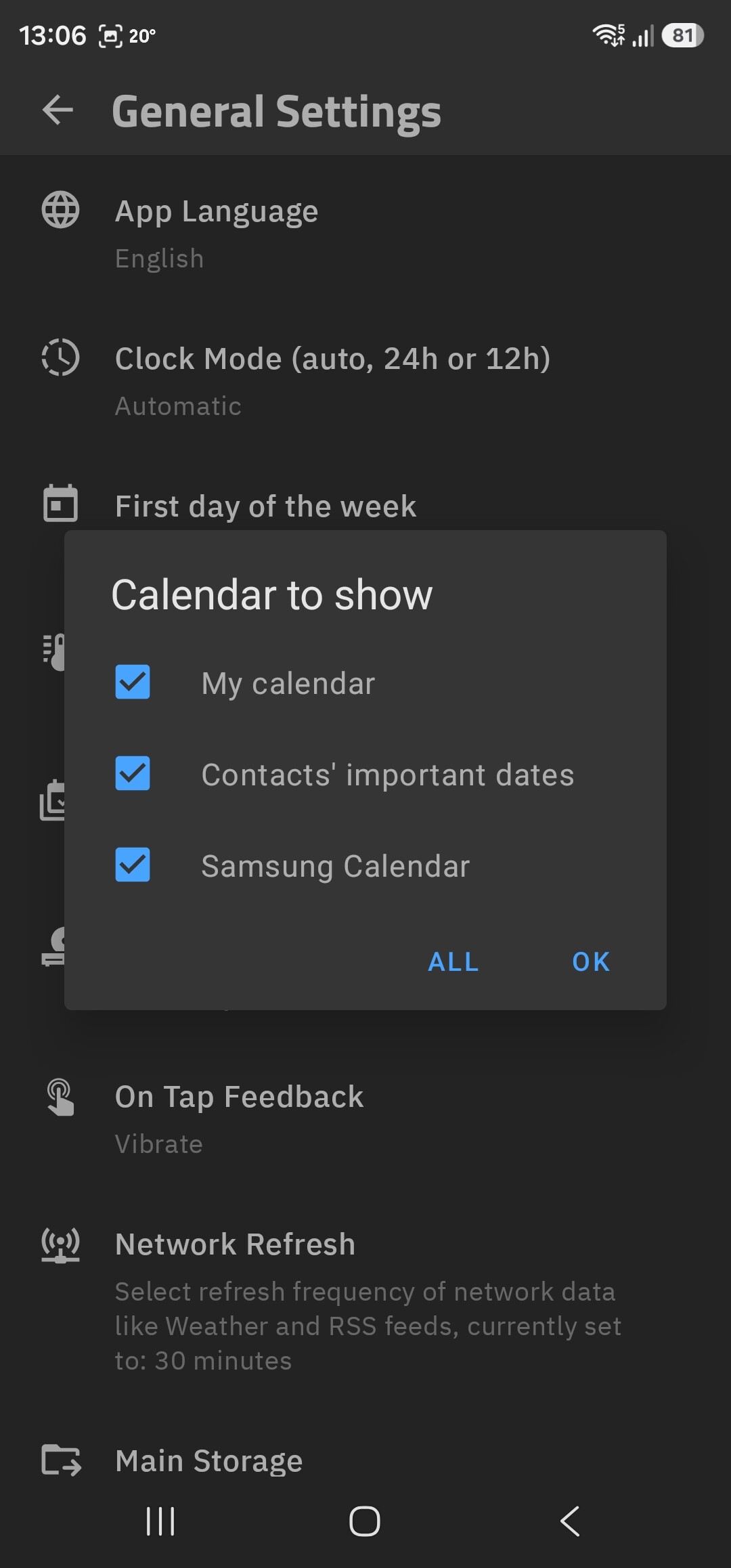
Yes, and that’s ALWAYS been the setting…
But I only have these to choose from, which doesn’t include Google and Android as you can see…
Hi @Ian_McCluskey ,
Check these settings, too.
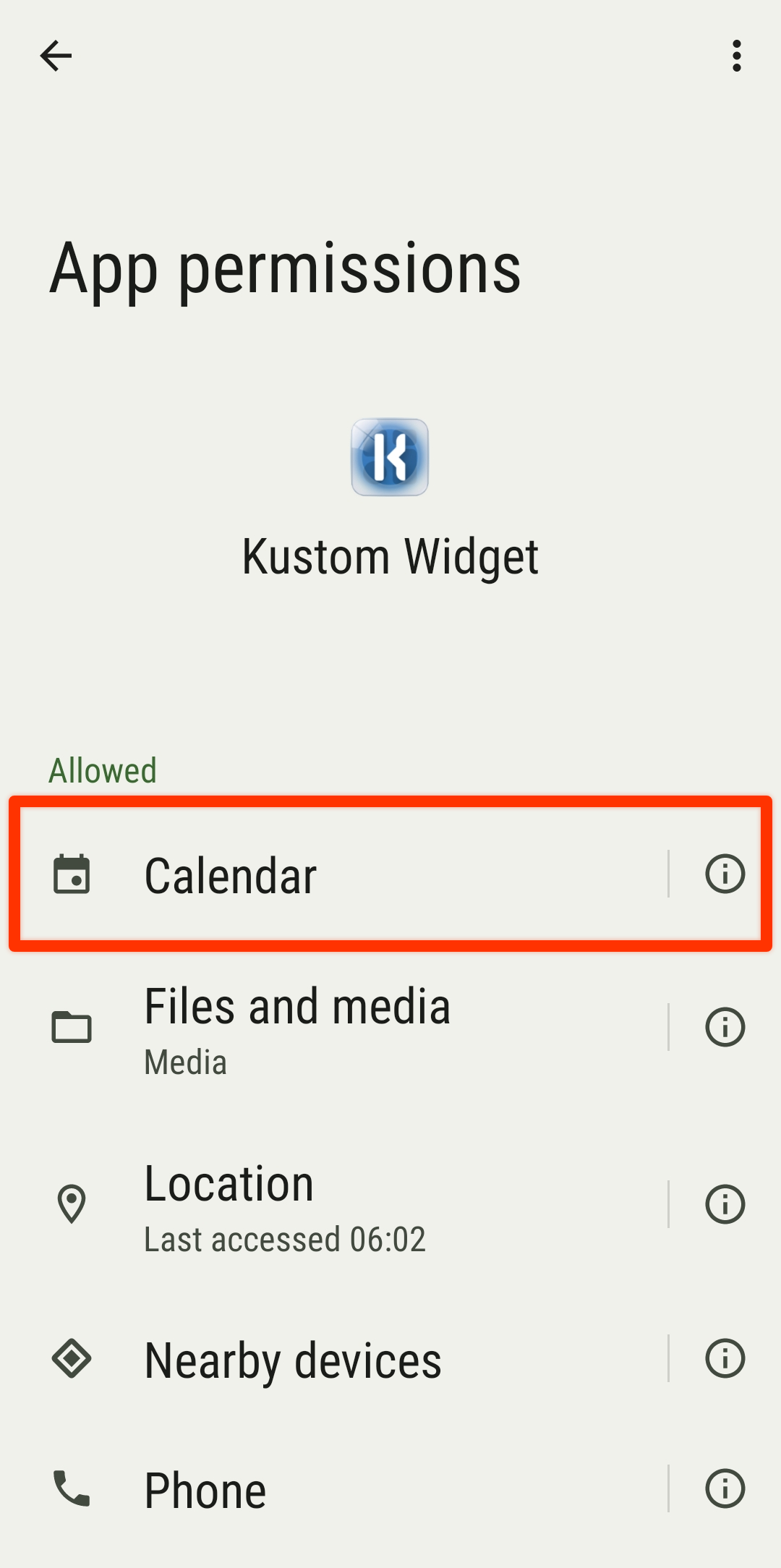
01 Android’s Permission Settings for KWGT
Make sure KWGT’s is allowed to access calendar data
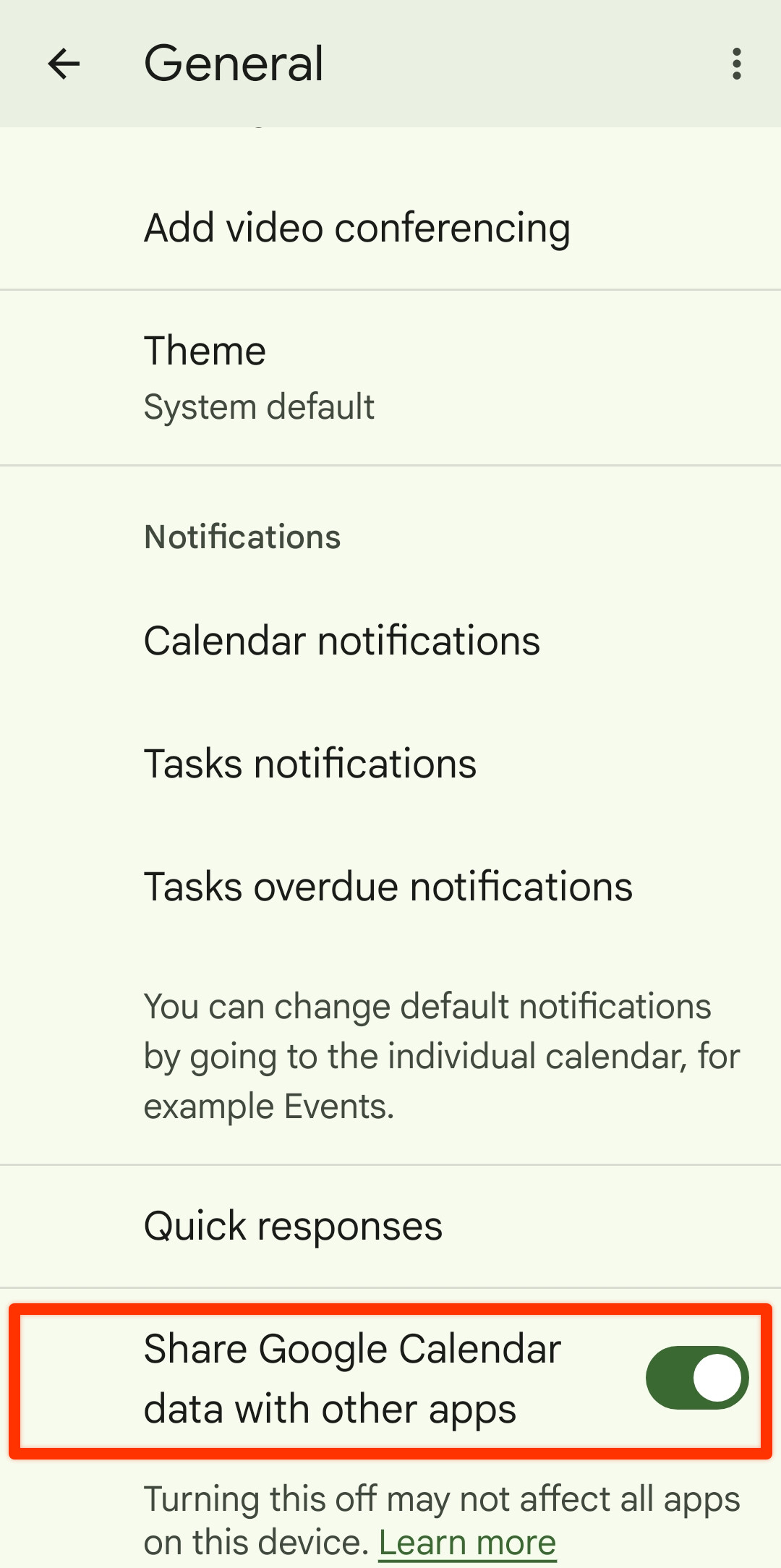
02 Google Calendar’s settings for sharing its calendar data
Make sure the calendar app allows its data to be shared with other apps.
Repeat the 02 step above for other calendar apps installed on the device.
I hope this would help.
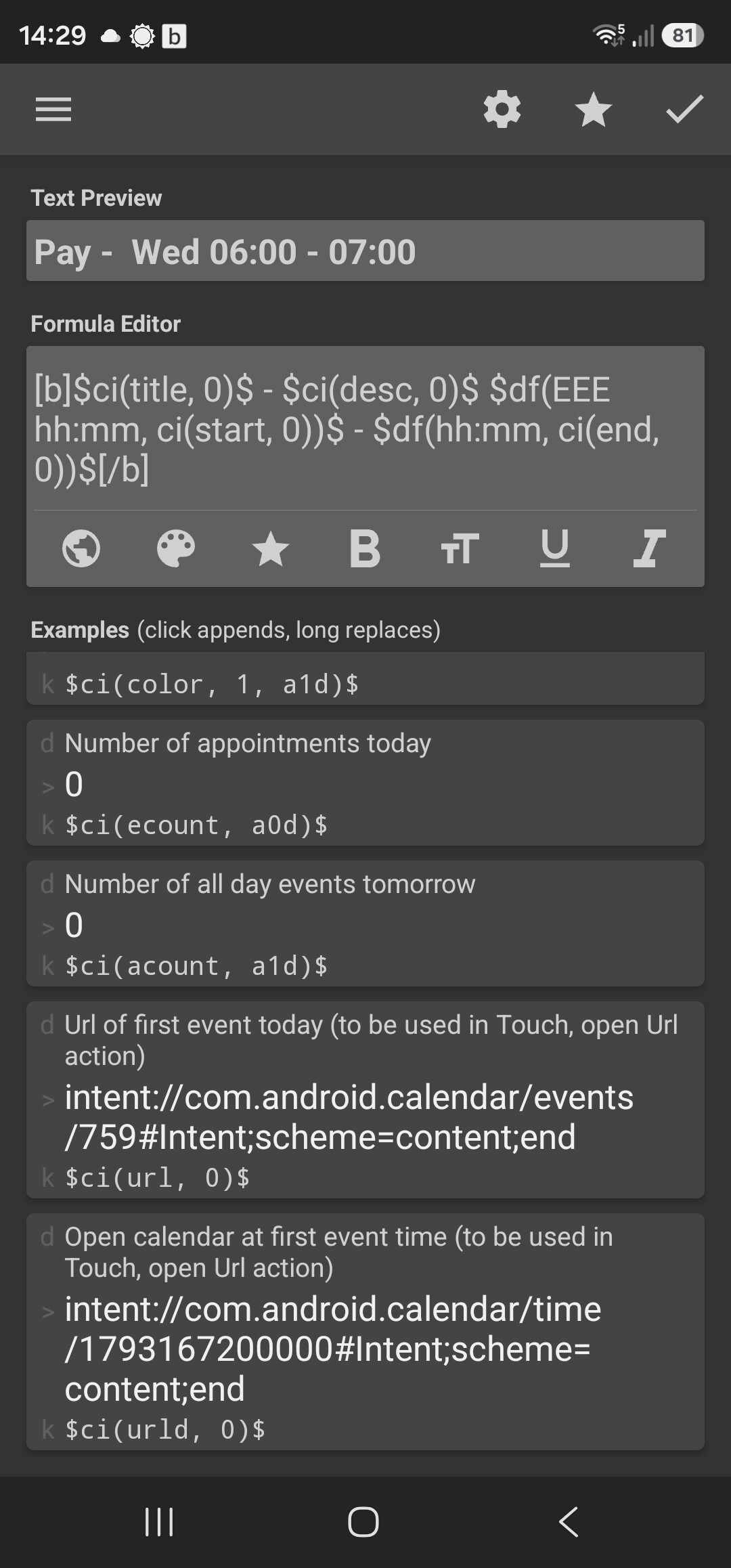
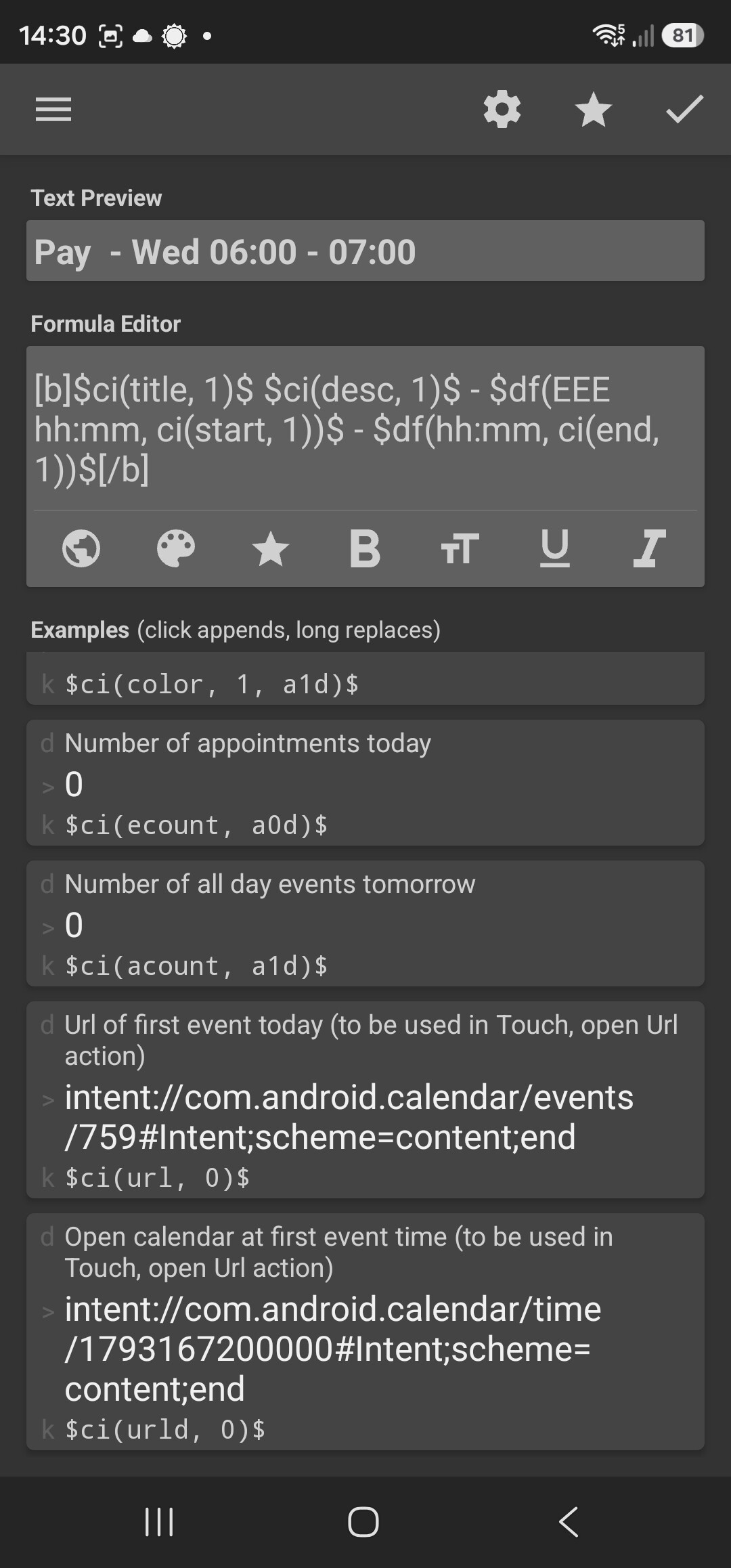
I did reply to that via email but it seems that didn’t get sent. I’ve done all that, as much as I have access to which isn’t the same as you show there. Anyway, check the two screenshots. This is the code for the next TWO calendar events in my diary. These are NOT the next two calendar events but ARE the next two Android calendar events. How do I change this code to get the NEXT two calendar events from ANY calendar?
Hi @Ian_McCluskey ,
I have no idea why your other calendars doesn’t get listed and selected in your KWGT. All I know are these settings:
- Calendar’s setting: Allow the calendar app to share its data with other apps (in this case: KWGT)
- Android’s Permission setting: Allow KWGT to retrieve calendar data
- KWGT’s setting: Select the calendars from the Calendar to show list, to include their data for retrieval
In regards to your question on retrieving the next 2 event from all calendars (those that are selected in the setting), try this script.
$ci(arg1, arg2, [arg3])$
NOTES
arg1 : data type to retrieve ➞ title, desc, …arg2 : event’s index ➞ 0 (1ˢᵗ event), 1 (2ⁿᵈ event), …arg3 (optional) : date
EXAMPLES
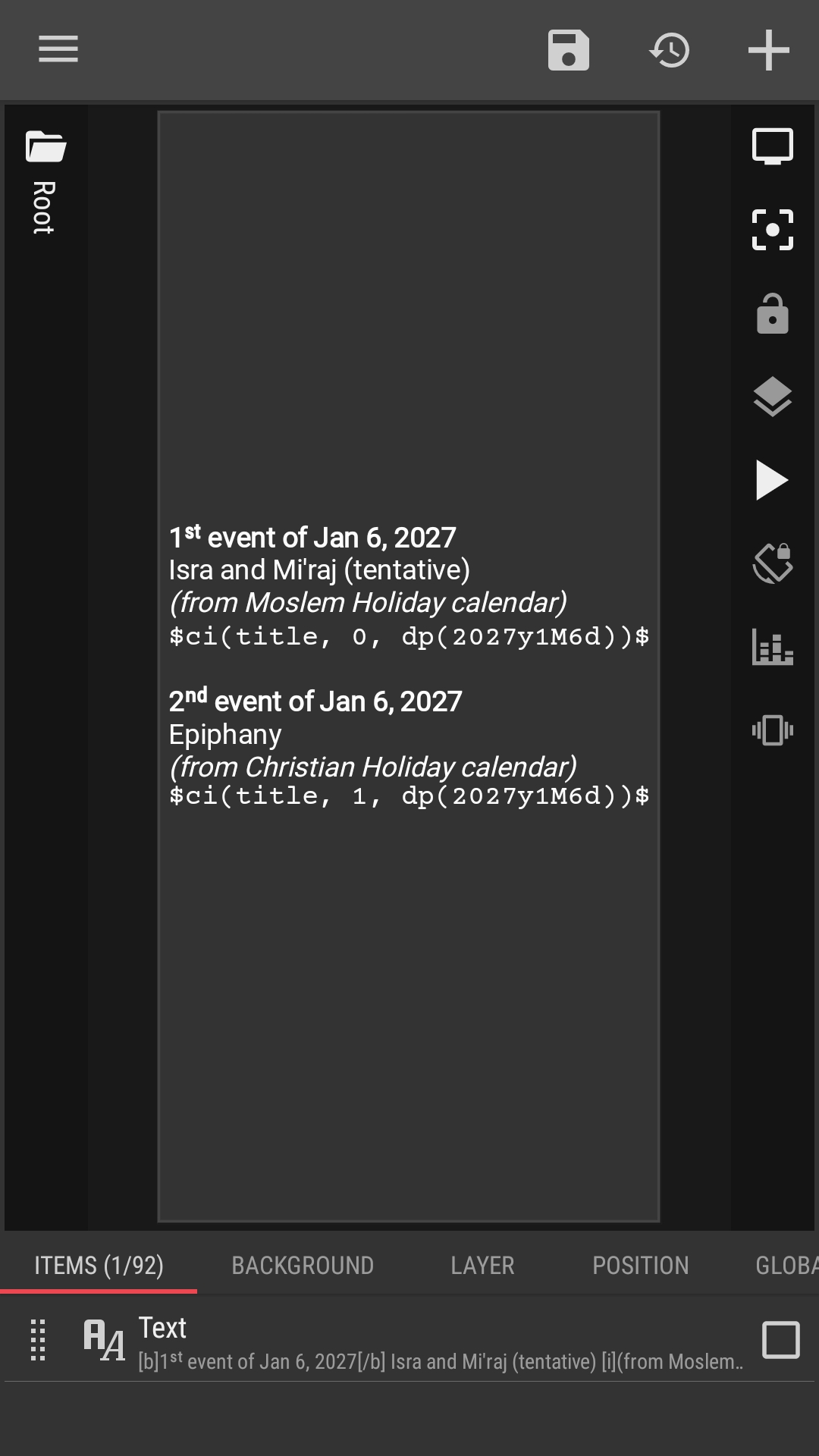
$ci(title, 0, dp(2027y1M6d))$
This script will retrieve the title of the 1ˢᵗ events from January 6, 2027, from all selected calendars.
$ci(desc, 1, dp(r3d))$
This script will retrieve the description of the 2ⁿᵈ events from 3 days ago, from all selected calendars.
I hope this would help.
So, no further support with this continuing problem of only showing events from one of the three calendars my phone uses? I’m hoping someone from the developers might actually contribute.